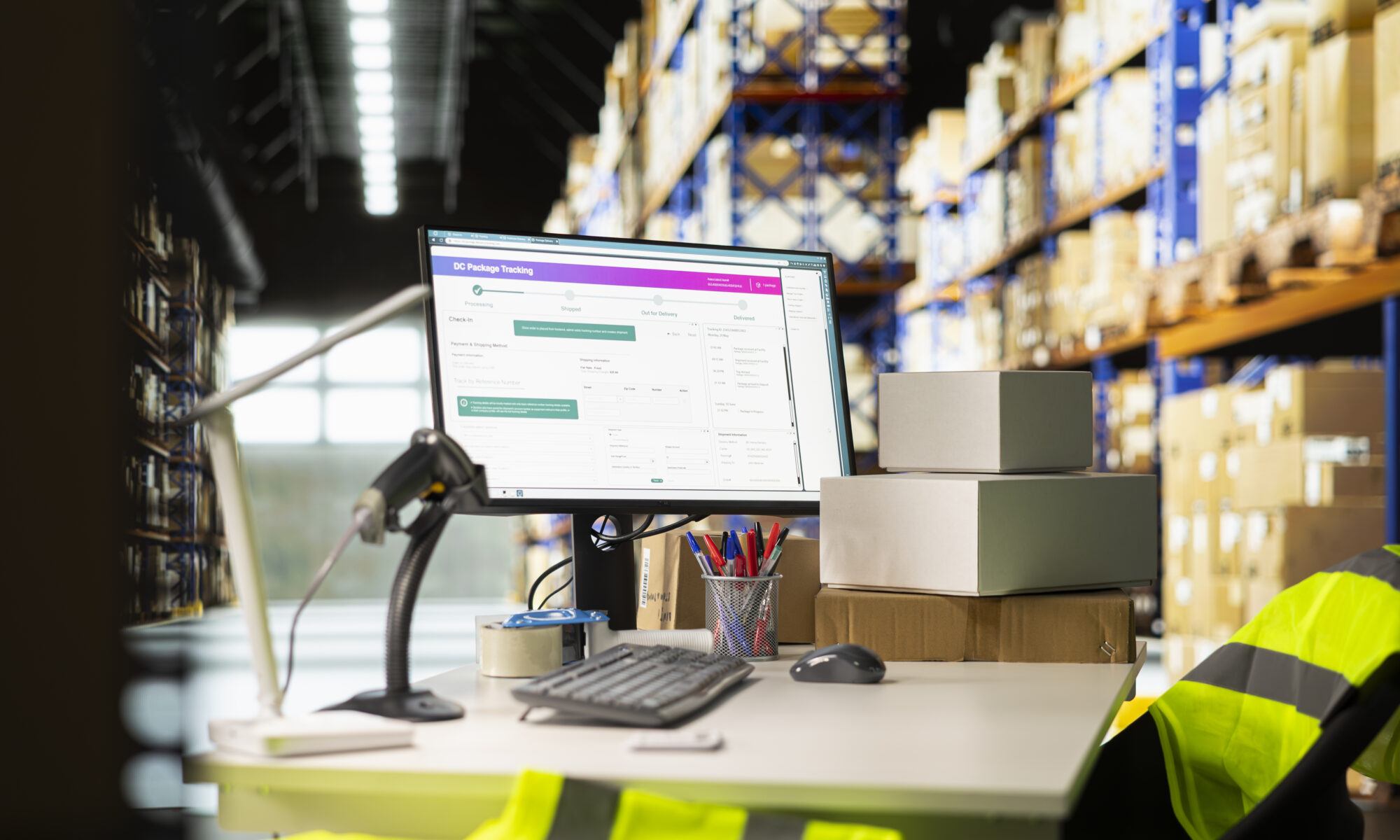
How ERPNext Helps Businesses Transition to Digital Operations

Walk into any growing business in Dubai today, and you’ll notice the same struggle. Spreadsheets everywhere. Sticky notes on desks. Five different apps that don’t talk to each other. Sound familiar? You’re not alone. Most businesses reach a point where manual processes can no longer keep up. That’s where the digital transformation of ERPNext comes in. It’s not just software; it’s a change in how your whole business works, talks, and grows. This blog walks you through exactly how ERPNext helps businesses move from chaos to clarity, one connected process at a time.

Quick Answer: How ERPNext Drives Digital Transformation

Every part of your business is linked together in ERPNext, including sales, inventory, HR, projects, and finances. Instead of switching between disconnected tools, your team works from a single source of truth. Data updates in real time across departments. ERPNext for business automation removes repetitive manual tasks like data entry, approvals, and reporting. This frees up your team to focus on actual growth. For Dubai businesses managing rapid expansion, multi-currency transactions, and VAT compliance, ERPNext offers the digital backbone needed to scale smoothly and confidently.

What Does “Digital Transformation” Actually Mean?

Let’s clear up the buzzword first. Digital transformation isn’t about buying fancy software. It’s about replacing manual, disconnected processes with smart, automated, connected systems. It means your sales team, warehouse staff, and finance department all sees the same real-time numbers. No more waiting on emails or spreadsheet updates. For businesses in Dubai’s fast-moving economy, this shift isn’t optional anymore. It’s the difference between scaling smoothly and falling behind competitors.

Why Dubai Businesses Are Rushing Toward Digital Operations

Dubai’s business landscape moves fast. New regulations, growing trade volumes, and rising customer expectations demand quick, accurate decision-making. Manual processes simply can’t keep pace with this speed. A delayed invoice or missed stock update can cost real money. That’s why more companies across trading, retail, manufacturing, and services are adopting ERPNext digital operations to stay competitive and compliant. VAT reporting, multi-currency invoicing, and cross-border trade all become easier when your systems talk to each other automatically.

How ERPNext Powers Digital Transformation

ERPNext isn’t just one tool. It’s a complete ERPNext business management software suite built to unify your entire operation.

Here’s how it actually drives transformation across your business.

1. One Platform, Every Department

Instead of using separate tools for accounting, HR, and inventory, ERPNext brings everything together.

Your finance team, warehouse staff, and sales reps all access the same live data. No more duplicate entries or mismatched numbers.

2. Real-Time Visibility

With ERPNext, you don’t wait until month-end to know how your business is performing. Dashboards update in real time, giving you instant visibility into cash flow, stock levels, and sales performance whenever you need it.

3. Cloud-Based Access, Anywhere

ERPNext runs on the cloud, meaning your team can access business data from anywhere in Dubai or beyond. Whether you’re at a client meeting or working remotely, your business runs with you, not without you.

4. Built for Local Compliance

ERPNext supports UAE VAT requirements, multi-currency transactions, and localized reporting standards from the start. This makes digital transformation smoother for Dubai businesses navigating regulatory requirements daily.

ERPNext for Business Automation: Where the Real Magic Happens

Digital transformation without automation is only half the job. This is where ERPNext for business automation truly shines.

Automation means your team stops wasting hours on repetitive, manual tasks. The system handles it instead.

What Can ERPNext Automate?

  • Purchase orders and approval workflows
  • Invoice generation and payment reminders
  • Stock level alerts and reorder triggers
  • Employee onboarding and leave approvals
  • Financial reports and month-end reconciliations
  • Lead follow-ups and customer communication

Each of these tasks used to eat hours of your team’s week. With ERPNext workflow automation, they happen automatically, accurately, and on time.

ERPNext Workflow Automation in Action

Let’s make this practical. Imagine your sales team closes a deal. Without automation, someone manually creates an invoice, updates inventory, notifies the warehouse, and informs finance separately. With ERPNext workflow automation, one action triggers the rest. The invoice generates automatically. Inventory updates instantly. Finance sees it in real time. This isn’t just convenient. It reduces errors, saves hours weekly, and keeps every department aligned without constant back-and-forth communication.

Manual Processes vs. ERPNext Digital Operations

Here’s a simple comparison to show what actually changes once you move to ERPNext.

Task Manual Process ERPNext Digital Operations
Invoicing Created manually, prone to errors Auto-generated and linked to sales
Inventory Updates Updated separately by staff Updates automatically in real time
Approvals Email chains and delays Automated workflow approvals
Reporting Built manually, often outdated Real-time dashboards and KPIs
Data Access Siloed across departments Centralized, shared across teams
Compliance Manually tracked Built-in VAT and audit support

The difference isn’t small. It’s the gap between reactive management and proactive, informed decision-making.

Benefits of Moving to ERPNext Digital Operations

Businesses that shift to ERPNext typically notice changes fast. Here’s what most Dubai companies experience within the first few months.

  • Faster decision-making with real-time data access
  • Reduced manual errors across finance and inventory
  • Better team collaboration across departments
  • Improved customer response times
  • Stronger compliance with UAE regulations
  • Lower long-term operational costs

These aren’t just technical upgrades. They directly impact how fast and confidently your business can grow.

Is Your Business Ready for Digital Transformation?

Not every business needs ERPNext on day one. But certain signs suggest you’re ready to make the shift.

  • You’re using three or more disconnected tools daily
  • Reports take days to prepare and are often outdated
  • Your team spends hours on repetitive manual tasks
  • You’re expanding to new locations or product lines
  • Compliance tracking feels stressful and time-consuming

If these sound familiar, it might be time to explore ERPNext digital transformation for your business.

Not sure how to begin? Our guide on implementing ERPNext in a growing company walks you through the entire process step by step.

Finance Teams Benefit the Most, Right Away

Among all departments, finance usually sees the fastest, most noticeable impact from ERPNext. Automated invoicing, real-time cash flow tracking, and simplified VAT reporting remove hours of manual work every single week. If your finance team constantly firefights spreadsheets, this shift alone can transform how your business operates daily. Want a deeper look at this specific transformation? Check out how ERPNext improves financial management for growing businesses.

Why Choose Wahni IT Solutions for Your ERPNext Journey

Digital transformation isn’t just about installing software. It’s about reshaping how your business operates on a daily basis. At Wahni IT Solutions, we specialize in guiding Dubai businesses through smooth, stress-free ERPNext implementation. We don’t just set up the system. We understand your workflows, customize ERPNext to fit them, and train your team to use it confidently. Whether you’re a growing SME or an established company scaling operations, our team ensures your transition to digital operations feels seamless, not stressful.

Final Thoughts

Digital transformation isn’t a trend. It’s how businesses in Dubai stay competitive, compliant, and ready for what’s next. ERPNext gives you the tools to automate repetitive tasks, connect every department, and make decisions based on real, live data. The businesses that embrace this shift now will be the ones scaling smoothly later. Those who wait often find themselves falling behind. If you’re ready to move beyond spreadsheets and disconnected tools, Wahni IT Solutions is here to guide your ERPNext journey from start to finish. Reach out today for a free consultation and see how ERPNext can transform your business operations.

Frequently Asked Questions

1. How does ERPNext support digital transformation for businesses?

ERPNext supports digital transformation by connecting finance, inventory, HR, and sales into one platform, replacing disconnected manual processes with real-time, automated workflows.

2. What business processes can ERPNext automate?

ERPNext automates invoicing, purchase approvals, inventory alerts, employee onboarding, and financial reporting, reducing manual work and minimizing errors across departments.

3. Is ERPNext suitable for small and medium businesses in Dubai?

Yes, ERPNext is highly suitable for Dubai SMEs because it’s affordable, scalable, and supports UAE-specific requirements like VAT compliance and multi-currency transactions.

4. How long does it take to implement ERPNext for digital operations?

ERPNext implementation typically takes a few weeks to a few months, depending on business complexity, required customizations, and the number of departments involved.

5. Does ERPNext work well for remote or hybrid business teams?

Yes, ERPNext is cloud-based, allowing teams to access business data, approve workflows, and manage operations securely from anywhere, supporting remote and hybrid work setups.

What Are the Key Differences Between ERP and Accounting Software

Running a business means juggling numbers, invoices, stock, staff, and a dozen other moving parts. At some point, every growing company asks the same question: Is our current software still enough? That question usually leads to one bigger debate: ERP vs. accounting software. They sound similar. They both deal with numbers. But they are built for completely different jobs. If you’ve ever wondered about the difference between ERP and accounting software, this guide breaks it down in plain, simple language. No jargon. No fluff. Here are the facts you need to make the right decision for your business.

Quick Answer: ERP vs. Accounting Software

Accounting software manages your books including income, expenses, invoices, and basic reports. It’s simple, affordable, and built for small businesses with straightforward needs.

The difference between ERP software and accounting software is their scope. An ERP (Enterprise Resource Planning) system connects your entire business, including finance, inventory, HR, sales, and production in one platform.

Accounting software tracks your money. ERP software runs your whole business. If you’re managing multiple departments, locations, or a growing product line, ERP is likely your next step.

What Is Accounting Software, Really?

Think of accounting software as a calculator with memory. It’s built to do one job well: manage your finances. It handles bookkeeping, invoicing, accounts payable, and accounts receivable. That’s its whole world. Popular examples include Xero, QuickBooks, and Tally. These tools are affordable, quick to set up, and perfect for small teams with simple needs. But accounting software wasn’t designed to scale. It won’t manage your warehouse. It won’t track your project timelines. It won’t connect your sales team to your finance team automatically.

What Is ERP Software?

ERP software is not the same thing at all. It’s not just about accounting; it’s about running your whole business from a single system that is linked to it. An ERP platform links your finance, inventory, sales, HR, procurement, and production teams together. Everyone works off the same real-time data. This is one of the biggest ERP and accounting software differences. Accounting software works in a silo. ERP software breaks the silo down completely. Popular ERP platforms include ERPNext, SAP, Microsoft Dynamics, and Odoo. These systems serve businesses that have outgrown spreadsheets and disconnected tools.

Key Differences Between ERP and Accounting Software

Let’s get into the real comparison. Here are the core differences that actually matter for your decision.

1. Functionality

Accounting software focuses only on finance. This includes general ledger, payable, and receivable.

ERP software covers finance plus inventory, HR, CRM, procurement, and manufacturing. One system, many departments.

2. Integration

Accounting tools often work alone. Connecting them to other systems can be limited or clunky.

ERP systems are built for integration. They use APIs to connect with your CRM, e-commerce store, or logistics tools easily.

3. Automation

Accounting software handles basic, repetitive finance tasks. It wasn’t designed for company-wide automation.

ERP software automates tasks that need to be done across departments, such as making purchase orders, updating stock, and running payroll.

4. Scalability

Accounting systems have limits. Some cap your users. Others slow down as transaction volume grows.

ERP systems scale with you. Add users, modules, and locations as your business expands.

5. Reporting and Analytics

Accounting software gives you basic financial reports. Often, you read outdated reports.

ERP software delivers real-time dashboards and KPIs across every department, not just finance.

6. User Access and Roles

Most accounting tools don’t restrict access by role. If you’re in the system, you see everything.

ERP platforms offer role-based permissions. Your sales team sees sales data. Your finance team sees financial data.

7. Implementation

Accounting software is plug-and-play. Sign up, log in, and start working within minutes. ERP implementation takes planning. Projects typically run 3 to 6 months with an experienced partner guiding the setup.

8. Compliance

Accounting tools meet basic financial reporting standards. That’s usually enough for a small business. ERP systems support complex audit trails and industry-specific compliance needs, ideal for regulated or larger sectors.

9. Cost

Accounting software is cheap and predictable. Low upfront cost, low ongoing fees. ERP software costs more initially. But it replaces multiple disconnected tools, often saving money long-term.

ERP vs. Accounting Software: Side-by-Side Comparison

Feature Accounting Software ERP Software
Core Focus Finance only Finance, HR, inventory, sales, production
Integration Limited Built for integration via APIs
Automation Basic finance tasks Cross-department workflows
Scalability Fixed, limited users Highly scalable
Reporting Static, basic reports Real-time dashboards and KPIs
Setup Time Minutes to days 3–6 months
Cost Lower, predictable Higher upfront, better long-term ROI
Best For Small businesses Growing or complex organisations

Signs You’ve Outgrown Accounting Software

Not sure if you need to upgrade? Here are the warning signs businesses usually notice first.

  • Manual data entry is causing frequent errors
  • Your inventory has become hard to track accurately
  • You’re managing multiple locations or branches
  • Payroll and HR processes feel disconnected from finance
  • You rely on spreadsheets to fill software gaps
  • Reports take too long and are already outdated
  • Your team uses several disconnected tools daily

If three or more of these sound familiar, it’s time to seriously consider ERP software for accounting and beyond.

Why Businesses in the UAE Are Moving to ERP

The UAE market moves fast. Businesses here deal with VAT compliance, multi-currency transactions, and rapid growth across sectors like trading, manufacturing, and retail. Accounting software alone often can’t keep pace with these demands. That’s where ERP steps in. At Wahni IT Solutions, we help UAE businesses transition smoothly from basic accounting tools to full-scale ERP systems like ERPNext. Whether you’re managing a growing supply chain or need better financial visibility, ERP gives you the control accounting software simply can’t offer. If you run a factory or production unit, check out our guide on ERPNext for manufacturing to see how it streamlines operations end to end.

ERPNext: A Smart ERP Choice for Growing Businesses

ERPNext is one of the most popular open-source ERP platforms today. It’s flexible, affordable, and built for businesses that want full control without the massive price tag of legacy systems. Unlike traditional accounting software, ERPNext connects your finance, HR, inventory, and CRM in one place. It’s a strong fit for UAE SMEs looking to scale without the complexity or cost of enterprise-grade ERP giants. Curious how it stacks up against other tools? Read our detailed breakdown on ERPNext vs. other accounting software to compare features side by side.

How to Choose Between ERP and Accounting Software

Choosing the right system isn’t about picking the “better” one. It’s about picking the right fit for your business stage.

Ask yourself these questions before deciding:

  • How many departments need to share data daily?
  • Are you managing inventory, projects, or manufacturing?
  • Is your team growing beyond 15–20 employees?
  • Are spreadsheets slowing your reporting down?
  • Do you operate across multiple locations or currencies?

If you answered yes to most of these, ERP software vs. accounting software isn’t really a debate anymore. ERP is the next step for you.

Final Thoughts

Both accounting software and ERP systems have their place. Small businesses with simple needs do well with basic accounting tools. But as your business grows, complexity grows with it. Multiple departments, larger teams, and bigger data needs demand a smarter system. Understanding the difference between ERP and accounting software helps you avoid costly mistakes. Choosing too early wastes money. Choosing too late slows your growth. At Wahni IT Solutions, we guide UAE businesses through this exact decision every day. Our team helps you assess your needs and implement the right ERP solution, like ERPNext, without the guesswork. Ready to see if ERP is right for your business? Reach out to Wahni IT Solutions for a free consultation today.

Frequently Asked Questions

1. What is the main difference between ERP and accounting software?

Accounting software only manages financial tasks like invoicing and bookkeeping. ERP software connects finance with inventory, HR, sales, and production in one unified system.

2. Can accounting software work as an ERP system?

No, accounting software cannot function as an ERP system. It lacks the modules needed to manage inventory, HR, manufacturing, and cross-department automation that ERP platforms provide.

3. Is ERP software more expensive than accounting software?

Yes, ERP software typically costs more upfront due to implementation and licensing. However, it often saves money long-term by replacing multiple disconnected tools with one platform.

4. When should a business switch from accounting software to ERP?

A business should switch to ERP once it manages multiple departments, locations, or growing inventory, and accounting software can no longer handle these connected operations efficiently.

5. Is ERPNext a good alternative to traditional accounting software?

Yes, ERPNext is a strong alternative because it combines accounting with inventory, HR, and CRM features, offering small and mid-sized UAE businesses a scalable, affordable ERP solution.

How UAE Manufacturers Are Using ERPNext to Build Smart Factories

Running a factory floor in the UAE today looks nothing like it did five years ago. Machines communicate with software. Production data updates in real time. The manufacturers who are winning aren’t the ones with the biggest budgets; they’re the ones with the smartest systems. We work with manufacturing businesses across the UAE, and we keep seeing the same pattern. Plants that switch to a connected ERP system cut delays, reduce waste, and finally get a clear picture of what’s happening on their shop floor. This is where ERPNext manufacturing automation changes the game.

In this guide, we’ll walk you through how UAE manufacturers are using ERPNext to build smart factories, what a smart factory actually means, and how you can start moving toward one without turning your operations upside down.

What Does a Smart Factory Actually Mean?

A smart factory is a production facility where machines, software, and people share data automatically instead of relying on manual updates and guesswork. Sensors track machine performance. Systems flag issues before they cause downtime. Managers see production status on a screen instead of walking the floor to find out. This isn’t science fiction anymore. It’s the foundation of Industry 4.0, and it’s becoming standard across manufacturing ERP software used in the UAE. The goal isn’t to replace your workers with robots. It’s to give your team better information so they can make faster decisions.

Why UAE Manufacturers Are Moving Toward Smart Manufacturing

Labor costs are rising. Customers expect faster delivery. Competition from regional and international manufacturers keeps growing. According to the UAE Ministry of Industry and Advanced Technology (MoIAT), the country aims to increase industrial sector’s contribution to GDP from AED 133 billion to AED 300 billion, and that push relies heavily on digital transformation across factories. We’ve seen manufacturers in Dubai, Sharjah, and Abu Dhabi adopt smart manufacturing strategies for one simple reason: their old systems couldn’t keep up. Spreadsheets don’t talk to each other. Paper-based work orders get lost. Nobody has real-time visibility into what’s actually happening on the shop floor. An ERP system for manufacturers fixes this by pulling every part of your operation into one connected platform.

How ERPNext Powers Smart Factory Operations

ERPNext isn’t just accounting software with a manufacturing label slapped on it. It’s built with a dedicated ERPNext manufacturing module that handles the full production cycle from planning to delivery. Here’s how it works in practice.

Production Planning That Actually Reflects Reality

Production planning fails when it’s based on outdated data or gut feeling. ERPNext pulls live inventory, sales orders, and capacity data to build production plans that match what your factory can actually deliver. You avoid overcommitting to orders you can’t fulfill on time.

Bill of Materials Management Without the Guesswork

Every product needs a clear list of raw materials, components, and quantities. ERPNext’s bill of materials (BOM) tool keeps track of multi-level BOMs automatically, so when you change one component, the system updates costs and requirements across every product that uses it. You won’t be stuck recalculating spreadsheets by hand every time a supplier changes prices.

Work Order Management from Start to Finish

Work order management in ERPNext tracks each job from the moment it’s created to the moment it’s completed. Operators log progress directly into the system. Supervisors see exactly which jobs are running behind. This alone eliminates most of the confusion that slows down traditional shop floor management.

Real-Time Production Monitoring on the Shop Floor

This is where manufacturing workflow automation really shows its value. ERPNext connects with shop floor terminals so operators can log start times, stoppages, and completions as they happen. Managers get real-time production monitoring instead of waiting for end-of-shift reports.

Machine Data Integration for Predictive Maintenance

ERPNext supports machine data integration, which means you can track equipment usage and flag maintenance needs before a breakdown happens. Predictive maintenance saves you from costly unplanned downtime, which according to Deloitte’s manufacturing research can cost plants thousands of dollars per hour depending on the industry.

Quality Control Built into Every Step

Quality control checkpoints get built directly into your work orders. If a batch fails inspection, the system flags it immediately instead of letting it move further down the production line. This reduces rework and keeps your defect rates low.

Benefits of ERPNext for Manufacturing Resource Planning

Benefit What It Solves
Centralized data No more switching between spreadsheets, emails, and paper logs
Real-time visibility Managers see production status instantly, not at end of shift
Inventory optimization Raw material stock stays aligned with actual production needs
Supply chain automation Purchase orders trigger automatically when stock runs low
Manufacturing analytics Reports show bottlenecks and inefficiencies you can actually fix
Scalability The system grows with your factory instead of holding it back


How We Help UAE Manufacturers Build Smarter Factories

We’re Wahni IT Solutions, and ERPNext implementation is what we do all day, every day. We don’t believe in dropping software on your team and walking away. Our team maps out your existing production workflow first, then configures ERPNext around how your factory actually runs. We handle the full journey with you. That includes production planning setup, BOM configuration, work order automation, and integration with your existing machines where possible. We also train your team so they’re confident using the system from day one, not lost in a new interface. Digital manufacturing businesses don’t need a system that just looks good on paper. They need one that cuts down daily headaches and delivers results you can actually measure within months, not years. That’s the bar we set for every ERPNext manufacturing automation project we take on in the UAE.

Checklist: Is Your Factory Ready for ERPNext?

  • You’re tracking production on spreadsheets or paper
  • Your team struggles to get accurate inventory counts
  • Work orders get delayed because of miscommunication
  • You don’t have real-time insight into machine downtime
  • Your BOM changes require manual recalculation across products
  • You’re planning to scale production but worry your current system won’t keep up

If two or more of these sound familiar, it’s time to talk about ERPNext.

Key Takeaways

  • Smart factories run on connected data, not manual updates
  • ERPNext’s manufacturing module covers planning, BOM, work orders, and quality control
  • Real-time production monitoring reduces downtime and delays
  • Predictive maintenance through machine data integration saves repair costs
  • Wahni IT Solutions configures ERPNext around your actual shop floor workflow

If you’re ready to see what ERPNext manufacturing automation could look like on your shop floor, reach out to us at Wahni IT Solutions for a straightforward ERPNext consultation, planning, and implementation session. We’ll show you where the gaps are and how to close them.

Frequently Asked Questions

What is ERPNext manufacturing automation and how does it work?

ERPNext manufacturing automation ties together production planning, inventory, work orders, and quality control in one system that updates in real time. Instead of tracking each stage manually on paper or spreadsheets, the software moves data between departments automatically, which cuts down on errors and helps you make decisions faster across the whole production cycle.

How long does it take to implement ERPNext in a manufacturing plant?

It depends on how big and complex your factory is, but most mid-sized UAE manufacturers get a working system up in 8 to 12 weeks. That window covers workflow mapping, BOM setup, staff training, and testing before you go live, so the system actually matches how your production floor runs instead of following some generic template.

Can ERPNext integrate with existing factory machines?

Yes. ERPNext connects with machine data through APIs and IoT, so factories can pull real-time equipment data straight into the system. That opens the door to predictive maintenance alerts and production monitoring, and you don’t need to rip out and replace your existing hardware to get there, which makes it a realistic option for factories upgrading older equipment step by step.

Is ERPNext suitable for small and medium manufacturers in the UAE?

It’s a solid fit for small and medium manufacturers because it’s modular. You implement what you need right now and add more down the line. That keeps your upfront costs in check while still leaving room for Industry 4.0 features as your production volume and complexity grow.

What makes ERPNext different from traditional manufacturing ERP software?

ERPNext is open source and easy to customize, so it bends to fit your actual production process instead of forcing you into a rigid workflow. A lot of traditional manufacturing ERP software locks you into pricey licensing and limited configuration options, whereas ERPNext hands manufacturers more control over both cost and functionality.

The Role of ERPNext in Managing Omnichannel Orders and Inventory Accuracy

Selling on three platforms sounds great until your website says an item is in stock and your warehouse says otherwise. That gap between what your systems show and what’s actually true on the shelf is where customer trust quietly breaks down.

We talk to retailers and distributors across the UAE who face this exact problem every week. They’re managing online stores, physical outlets, and marketplace listings, but their inventory data lives in three different places that never quite agree. This is exactly why ERPNext omnichannel order management has become such a critical piece of modern retail operations.

In this guide, we’ll break down how ERPNext order management works, why inventory accuracy matters more than most businesses realize, and how you can bring every sales channel under one roof without losing your mind.

What Is Omnichannel Order Management?

Omnichannel order management means handling orders from every sales channel, website, marketplace, retail store, and phone orders, through a single connected system. Instead of manually checking stock across platforms, the business sees one accurate number that updates automatically as sales happen anywhere. Without this, businesses end up overselling products, disappointing customers, and scrambling to fix cancelled orders. According to a National Retail Federation survey, inventory inaccuracy remains one of the top three operational challenges cited by retailers managing multiple channels.

Why Inventory Accuracy Is Harder Than It Sounds

Inventory looks simple until you’re selling the same product across five channels at once. A sale on your website should instantly reduce stock everywhere else. Most businesses don’t have that. They update spreadsheets manually, sync platforms once a day, or worse, rely on staff to remember to update numbers by hand. This creates real problems. Customers order items that are already sold out. Warehouse teams pick the wrong stock. Finance can’t trust the numbers when reconciling sales. Order management ERPNext solves this by centralizing everything into a single source of truth.

How ERPNext Handles Order Management Across Channels

ERPNext isn’t some bolt-on plugin trying to patch a bunch of systems together. It’s built from the ground up as one central platform connecting sales, inventory, and fulfillment. Here’s what working with order management ERPNext actually looks like day to day.

Real-Time Inventory Visibility Across Every Channel

The second a sale happens on any channel, ERPNext updates stock everywhere else too. That’s what real-time inventory visibility means in practice: your website, your retail counter, and your marketplace listings all show the same number at the same time, so nobody ends up ordering something that’s already gone.

Sales Channel Integration Without the Manual Work

ERPNext hooks into your online store, your POS systems, and your marketplace accounts, and funnels every single order into one dashboard. No more jumping between five admin panels just to figure out what you sold today. With sales channel integration, orders show up in ERPNext automatically, tagged by where they came from, so you always know which channel is actually driving revenue.

Automated Order Fulfillment That Actually Reduces Errors

Once an order lands, ERPNext’s sales order workflow checks your stock, sends the order to the right warehouse, and puts together picking lists, all on its own. Automated order fulfillment takes out the manual steps that usually go wrong, like the wrong item getting shipped or an order slipping through the cracks during a big sale.

Warehouse Management Built for Multi-Location Businesses

Running more than one warehouse or store? ERPNext warehouse management tracks each location’s stock separately but still gives you one combined view of everything. It can route orders to the nearest warehouse without you having to think about it, which saves on both shipping time and cost.

Inventory Forecasting to Prevent Stockouts

ERPNext studies your past sales to help with inventory forecasting, so you get a heads up on when to reorder instead of finding out the hard way. That kind of demand planning is what stops you from discovering your bestseller is sold out in the middle of your busiest week.

Purchase Management Tied Directly to Sales Data

Purchase management here is wired straight into your sales and inventory numbers. The moment stock drops below whatever threshold you’ve set, a purchase order gets triggered automatically, so your supply chain keeps moving and nobody has to comb through spreadsheets every morning just to check.

Comparing Manual Systems vs ERPNext for Order Management

Factor Manual/Disconnected Systems ERPNext
Inventory updates Delayed, often once daily Real-time, instant sync
Order errors Common due to manual entry Reduced through automation
Multi-channel visibility Requires checking each platform Single unified dashboard
Stock forecasting Based on guesswork Data-driven demand planning
Warehouse coordination Manual communication Automated routing and tracking
Reporting Time-consuming to compile Instant, accurate reports

How We Help UAE Businesses Get Inventory Accuracy Right

We’re Wahni IT Solutions, and we’ve set up ERPNext for retailers, distributors, and e-commerce businesses across the UAE who were sick of chasing down inventory mismatches. Our team starts by mapping out every sales channel you use, then configures ERPNext inventory management so all of them stay in sync in real time. We don’t just flip the switch and walk away. We build out your sales order workflow, connect your warehouses, and set up automated reorder points based on your actual sales history. Every business has its own mix of channels, so we build the system around yours rather than pushing you into a one-size-fits-all setup. Inventory tracking ERP when done properly means your team spends less time putting out fires and more time growing the business. That’s the outcome we aim for on every project.

How We Help UAE Businesses Get Inventory Accuracy Right

We’re Wahni IT Solutions. We’ve set up ERPNext for retailers, distributors, and e-commerce businesses across the UAE, most of them tired of dealing with stock numbers that never quite matched up. Our team’s first step is always mapping out every sales channel you’re running, then configuring ERPNext inventory management so all of them talk to each other in real time.

We don’t just switch it on and disappear. We build your sales order workflow, get your warehouses connected, and set automated reorder points using your actual sales history, not guesswork. No two businesses run the same mix of channels, so we shape the system around yours instead of handing you a template and hoping it fits.

When inventory tracking ERP is done right, your team stops firefighting and starts actually growing the business. That’s what we’re aiming for on every project we take on.

Checklist: Signs You Need Better Order Management

  • You’ve had to cancel orders because stock wasn’t actually available
  • Your team manually updates inventory across multiple platforms
  • Warehouse staff often pick the wrong item or location
  • You can’t see combined sales data across channels in one place
  • Reordering happens reactively instead of based on forecasts
  • Reconciling sales and inventory takes hours every week

Key Takeaways

  • Omnichannel order management ERPNext keeps stock accurate across every sales channel
  • ERPNext syncs inventory in real time, preventing overselling and stockouts
  • Automated fulfillment and purchase management reduce manual errors
  • Warehouse management supports multi-location businesses with centralized visibility
  • Wahni IT Solutions configures ERPNext around your specific channel mix

Bottom Line

Inventory accuracy isn’t a nice-to-have anymore, it’s what keeps customers coming back and your team sane. ERPNext gives UAE retailers, distributors, and e-commerce businesses the centralized data management they need to stop guessing and start operating with confidence across every channel they sell on.

If disconnected systems are costing you sales and customer trust, reach out to us at Wahni IT Solutions for an ERPNext consultation, planning, and implementation session built around how you actually sell.

Frequently Asked Questions

What is ERPNext omnichannel order management used for?

It pulls every order, whether it comes from your website, a marketplace, or a physical store, into one place, and keeps inventory and sales numbers matching in real time. In practice that means fewer oversold items, quicker order processing, and one number your team can actually trust for stock across all your channels.

How does ERPNext improve inventory accuracy for multi-channel sellers?

As soon as something sells anywhere, the stock count updates everywhere else too, right away. Compare that to manual systems, where two platforms might disagree on how many units you have left for a day or two, and you can see why that gap causes cancelled orders and customers who aren’t happy about it.

Can ERPNext handle multiple warehouses and store locations?

It can. Each warehouse or store location gets tracked on its own, but you still get one combined view across the whole company. Orders can go automatically to whichever warehouse is closest or has the most stock, so shipping doesn’t drag and customers get their orders quicker.

Does ERPNext automate purchase orders based on stock levels?

Yes, set a reorder threshold and once stock dips below it, a purchase order gets triggered without anyone lifting a finger. Because it’s tied straight into your real sales and stock data, you’re less likely to run out of something, and nobody has to sit there watching inventory numbers all day.

Is ERPNext suitable for small e-commerce businesses managing few channels?

Definitely works for smaller sellers too. It’s modular, so you can just set up basic order and inventory management to start, then bolt on more channels once you actually need them. That way you’re not paying for more system than your business currently uses.

How Secure Is ERPNext? Security Features Every UAE Business Should Know

Moving financial records, payroll, customer information, and procurement into one ERP system centralizes critical business data. That makes ERPNext security an important consideration. The platform includes role-based permissions, audit trails, two-factor authentication, encryption, and secure access controls to help protect business information.

When configured correctly and maintained regularly, ERPNext provides strong security for businesses of all sizes. This guide explains its key security features, outlines how proper configuration protects your data, and highlights what UAE businesses should review before implementing the system.


Why ERP Security Matters More Than Ever for UAE Businesses

The UAE is one of the most digitally connected business environments in the world, and that connectivity comes with real risk. According to the State of the UAE Cybersecurity Report 2025 by CPX, the UAE recorded the second-highest data breach costs globally in 2024. The average cyber incident cost reached $2.9 million. Ransomware attacks in the UAE increased by 32% in 2024 compared to the previous year, according to the UAE Cybersecurity Council.

The numbers are stark, but the underlying issue is straightforward. Businesses in the UAE are running more of their operations digitally than at any previous point. More data is stored in connected systems. More employees access sensitive records. More transactions also move through platforms that attackers could target. An ERP system sits at the center of this exposure. A typical ERPNext deployment holds financial ledgers, payroll records, vendor agreements, customer purchase histories, inventory valuations, and tax records. Compromising that system does not just create a data breach. It creates a business disruption that can affect operations, regulatory standing, and the trust of customers and partners.

The UAE Cyber Council reports that 98% of successful cyberattacks exploit human error rather than technical vulnerabilities alone. This means the threat is not just about whether ERPNext is technically secure. It is also about whether the people using the system are operating it correctly.

That is why this guide covers both the built-in ERPNext security features and the configuration decisions that determine whether those features actually protect anything.


Is ERPNext Secure?

Yes. ERPNext includes multiple layers of security covering authentication, access control, activity logging, data encryption in transit, API protection, and session management. When ERPNext is implemented and configured correctly, businesses can take full advantage of its built-in security features.

The important qualifier is configuration. The important factor is configuration. ERPNext’s security features protect data only when they are configured correctly, user access is managed properly, and the system is updated regularly. Strong security features cannot compensate for weak passwords or excessive administrator access. Proper configuration makes the difference.


ERPNext Security Features That Protect Your Business

Role-Based Access Control: What Each Employee Can and Cannot See

Role-based access control (RBAC) is the foundation of ERPNext’s security model. Each user is assigned one or more roles that define what they can create, view, edit, delete, or submit within the system.

For example, a sales executive can access customer records and quotations but not payroll data. A warehouse manager can manage inventory without accessing financial records. An accounts payable clerk can enter supplier invoices but cannot approve payments without additional permissions.

ERPNext also allows administrators to control access at the document and field level. A finance manager may view supplier contracts without changing payment terms, while a customer service representative can see order history without viewing customer credit limits.

This level of control helps UAE businesses give employees access only to the information they need. Administrators can also restrict users to records within their assigned territory, cost center, or branch, reducing the risk of unauthorized access across departments or locations.


User Permissions in ERPNext: Restricting Access to Specific Records

User permissions extend the role-based access model by controlling which records a user can interact with, even within the document types their role permits. A single sales role might cover all customer quotations by default. User permissions allow administrators to restrict a specific user to only the quotations tied to the customers or territories assigned to them.

This capability addresses a common gap in ERP security. Role-based access answers the question of what a user can do. User permissions answer the question of whose data a user can do it with. Both dimensions matter for businesses managing sensitive records across multiple customers, suppliers, or business units.

For a UAE business with a regional sales structure, user permissions allow the sales team leader in Sharjah to see all records within the Sharjah territory while remaining completely excluded from records assigned to Dubai or Abu Dhabi. For a business with multiple company entities under one ERPNext installation, company-level data separation means one entity’s books stay completely invisible to users belonging to the other entity unless visibility is explicitly granted.

Two-Factor Authentication in ERPNext: Protecting Logins Beyond Passwords

Two-factor authentication (2FA) in ERPNext adds an extra layer of login security. After entering a username and password, users must verify their identity with a one-time code generated by an authenticator app. This means a stolen password alone cannot provide access to the system.

ERPNext also supports LDAP, Active Directory, and OAuth2 single sign-on, allowing businesses to integrate the platform with their existing identity management systems.

For UAE businesses, 2FA is particularly important because weak or reused passwords remain a leading cause of cyberattacks. Administrators can require 2FA for all users or enforce it only for roles with access to sensitive data such as payroll, financial records, and administrator functions.


ERPNext Password Policy and Login Security Controls

ERPNext allows administrators to enforce strong password policies, including minimum length, complexity requirements, password expiration, and restrictions on password reuse. These controls help reduce the risk of weak or predictable passwords.

The system also protects against brute-force attacks by locking user accounts after a configurable number of failed login attempts. For added security, businesses can further restrict access through server, firewall, or network-level controls.

ERPNext also includes session management features that automatically log out inactive users, reducing the risk of unauthorized access on shared or unattended devices. Together, these controls help UAE businesses strengthen account security across departments and locations.


ERPNext Audit Trail: Full Visibility Into Who Changed What and When

ERPNext records every important action in a detailed audit log, including who created, edited, submitted, or cancelled a document, what changed, and when it happened. Each entry includes a timestamp, making it easier to review user activity, investigate issues, and maintain accountability.

The audit trail strengthens internal controls by providing a complete history of document changes. For example, businesses can see who modified a purchase order, cancelled a sales invoice, or updated a financial record. This transparency helps identify errors and unauthorized changes quickly.

It also supports compliance by providing a clear record of user activity for FTA audits, financial reviews, and internal governance. In the event of a security incident, the audit log helps identify affected records and trace user actions.

The audit trail is a standard ERPNext feature and covers financial transactions, HR records, procurement, inventory, and other business data managed within the system.


ERPNext Data Encryption and Secure Communication

ERPNext secures data in transit by using HTTPS to encrypt communication between users and the server. This helps prevent attackers from intercepting sensitive information while it is being transmitted.

Passwords are stored as cryptographic hashes rather than plain text, making them unreadable even if someone gains direct access to the database.

On Frappe Cloud, ERPNext runs on AWS infrastructure, where supported storage services use encryption at rest to provide an additional layer of data protection.

These security measures are built into the standard ERPNext and Frappe Cloud setup, giving businesses encrypted communication and secure password storage without requiring additional configuration.


Cloud Security vs. Self-Hosted ERPNext: What Changes Between Deployment Options

The deployment choice for ERPNext changes which party is responsible for which security functions, not the overall security capability of the platform itself.

What Frappe Cloud Hosting Covers

Frappe Cloud, the managed hosting service from ERPNext’s developer Frappe Technologies, handles the infrastructure security layer on behalf of the business. This includes server provisioning and hardening, SSL certificate management, firewall configuration, DDoS protection through AWS infrastructure, automated security patching for the underlying operating system, and regular automated backups. The physical security of the data centers hosting the servers is managed by AWS, which maintains certifications and physical access controls that most businesses could not replicate independently.

Frappe Cloud is built on AWS, which brings infrastructure-level security benefits including network isolation, geographic redundancy options, and compliance certifications that extend to the hosting environment. Frappe publishes its security practices and the Frappe Cloud codebase is open-source, meaning the code running the infrastructure is publicly auditable rather than opaque.

For most UAE businesses, particularly SMEs and growing companies that do not have a dedicated IT security team, cloud hosting through a reputable provider like Frappe Cloud means the infrastructure security responsibilities are handled by specialists whose primary focus is exactly that.

What Self-Hosted ERPNext Requires

With a self-hosted deployment, the business or its IT team is responsible for securing the server environment. This includes applying operating system and ERPNext updates, managing firewalls and SSL certificates, monitoring for security threats, and maintaining reliable backups.

Some UAE businesses choose self-hosting to meet regulatory requirements, keep data on local infrastructure, or maintain full control over their IT environment.

Self-hosting does not make ERPNext less secure than a cloud deployment. However, the business becomes responsible for maintaining a secure environment. With regular updates, monitoring, and backups, a self-hosted ERPNext system can be just as secure as a cloud-hosted deployment. The biggest risk comes from poor maintenance or delayed security updates, not from the deployment model itself.


Security Responsibility Frappe Cloud Self-Hosted
Application security and ERPNext updates Frappe/Partner Business/IT team
Server OS patching Frappe Business/IT team
Firewall configuration Frappe Business/IT team
SSL certificate management Frappe Business/IT team
DDoS protection AWS/Frappe Business/IT team
Automated backups Frappe Business/IT team
Physical data center security AWS Business/Hosting provider
Access controls and user permissions Business Business
Password policies and 2FA Business Business

Regardless of deployment method, the application-level security controls (role-based access, audit trails, user permissions, 2FA, and password policies) are configured and maintained by the business and its implementation partner. The hosting model determines who manages the server. The configuration decisions determine how well the application protects data.

ERPNext Security Feature Comparison Table

Security Feature ERPNext
Role-Based Access Control Included
User-Level Permission Rules Included
Two-Factor Authentication Included
Configurable Password Policies Included
Full Audit Trail Included
HTTPS Encryption in Transit Included
Hashed Password Storage Included
Session Timeout Controls Included
API Key Authentication Included
IP-Based Login Restrictions Supported through server or network configuration
Automated Backup Support Included (Frappe Cloud) / Configurable (Self-Hosted)
Active Directory / LDAP Integration Included
OAuth2 / SSO Support Included


Best Practices for Keeping ERPNext Secure in Day-to-Day Operations

Apply the Least Privilege Principle to Every User

Every user account in ERPNext should have access to exactly what their job requires and nothing more. This is not a one-time setup decision. As employees change roles, take on new responsibilities, or leave the business, their permissions need to be reviewed and adjusted to match their current function.

In practice, this means defining roles carefully during implementation, resisting the temptation to give broad access to make setup easier, and scheduling regular access reviews to catch accounts that still hold permissions from previous roles. A finance manager who moved into operations three months ago should not still have unrestricted access to payroll records.

Enforce Strong Passwords and Enable Two-Factor Authentication

Password policies should require minimum length of at least ten characters, a mix of character types, and a rotation interval that is long enough not to create fatigue but short enough to limit the exposure window if a credential is compromised. Two-factor authentication should be mandatory for any user with access to financial data, HR records, administrator functions, or API credentials.

These two controls together handle the category of threat that the UAE Cyber Council identifies as responsible for most successful attacks, namely credential compromise through human error, phishing, or password reuse.

Keep ERPNext Updated

Every ERPNext update includes not just functional improvements but security patches that address vulnerabilities discovered in the platform or its underlying components. Running an outdated version of ERPNext means running a system that may have known security weaknesses that Frappe has already resolved in a newer release.

Frappe Cloud simplifies infrastructure management and makes it easier to keep ERPNext deployments updated as part of an ongoing maintenance plan. For self-hosted deployments, the business or implementation partner is responsible for monitoring available updates and applying them in a timely manner. Leaving updates unapplied for extended periods is one of the most common and preventable sources of ERP security exposure.

Train Employees on Security Procedures

The technical controls in ERPNext protect data when they are used correctly. An employee who shares login credentials with a colleague, uses the same password across multiple systems, clicks a phishing email link, or leaves a session open on a shared device undermines those controls regardless of how well the system is configured.

Employee training should cover why login credentials must not be shared, how to recognize phishing attempts, what to do if they suspect their account has been compromised, and what the procedures are for reporting security incidents. This is particularly important for businesses onboarding large numbers of new users during or after an ERPNext implementation.

Run Periodic Security Audits and Access Reviews

Security is not a configuration event that happens once at go-live and then runs unchanged. Businesses should schedule regular reviews of user access rights, audit log patterns, and system configuration to catch permissions that have drifted, inactive accounts that have not been deactivated, or unusual activity patterns that might indicate unauthorized access.

For UAE businesses subject to FTA compliance requirements or corporate governance frameworks, these reviews also serve as evidence of due diligence in data management. An implementation partner can assist with access review processes and provide recommendations based on what patterns they observe across similar deployments.

Establish a Daily Backup Strategy with Recovery Testing

Data backups are the recovery option of last resort when everything else fails. A business that suffers a ransomware attack, hardware failure, or accidental mass deletion without a reliable backup in place faces a potentially unrecoverable situation.

Backups should run daily, store copies in a location separate from the primary server, retain multiple versions so recovery is possible from a point before a problem occurred, and be tested periodically to confirm that restoration actually works. A backup that exists but has never been tested may fail at the moment it is needed most.

Frappe Cloud handles backup automation as part of the managed service. Self-hosted deployments require the business or IT team to configure, monitor, and test backups as part of their operational responsibilities.


Common ERPNext Security Mistakes That Create Unnecessary Risk

Giving Multiple Users Administrator Access

Administrator accounts have unrestricted access to ERPNext and should be limited to a small number of trusted users responsible for system administration. An administrator can view, edit, and delete any record in the system. This level of access should belong to one or two designated system administrators whose accounts are monitored and whose access to daily operational functions is handled through a separate lower-privilege account.

Many businesses go live with administrator access granted to a wider group of users because it simplifies setup, avoids permission troubleshooting, and keeps implementation moving quickly. After go-live, those accounts remain at administrator level because reducing permissions feels like a disruption. The result is a system where a significant number of users have unrestricted access to every record in the business.

Allowing Employees Who Have Left the Business to Retain Active Accounts

When an employee leaves the organization, their ERPNext account should be deactivated immediately. An active account belonging to a former employee is an open door that the business has no way to monitor because that person no longer has any legitimate reason to be in the system.

This requires a clear offboarding process that includes ERPNext account deactivation as a required step, alongside returning physical access cards, revoking email access, and completing other standard offboarding actions.

Delaying Security Updates

Each update cycle for ERPNext may include patches for vulnerabilities that have been identified and disclosed. Once a vulnerability is publicly known, it becomes information that attackers can use to target systems running older versions. Delaying updates extends the window during which a known vulnerability exists in a production system.

For most UAE businesses, the practical solution is to use Frappe Cloud hosting where updates are managed on a controlled schedule by the hosting provider, or to work with an implementation partner who monitors update availability and manages the update process for self-hosted deployments.

Never Reviewing Access Permissions After Go-Live

Initial permissions are set during implementation based on job functions at the time. Businesses change. People change roles, take on new responsibilities, or move between departments. Without periodic access reviews, permissions accumulate rather than evolve, and users end up with access rights that far exceed what their current function requires.

An annual access review is a minimum. For businesses with high staff turnover or frequent organizational changes, quarterly reviews are more appropriate.

Operating Without a Backup and Recovery Plan

A backup that runs automatically without anyone monitoring whether it succeeded, without a defined retention policy, and without ever having been tested for successful restoration is not a reliable recovery option. Businesses should define how often backups run, how long backup copies are retained, where they are stored, and how recovery would be executed if needed. Someone should verify backup completion regularly and test the restoration process at least once a year.


ERPNext Security Depends on Both the Platform and the Implementation

ERPNext includes robust security features such as role-based access, two-factor authentication, audit trails, encryption, and user permissions. However, these features deliver the best protection only when they are configured correctly and maintained over time.

At Wahni IT Solutions, security is built into every ERPNext implementation through proper access controls, authentication setup, backup planning, and ongoing support. If you’re planning to implement ERPNext or strengthen the security of your existing system, our team can help you build a secure and reliable ERP environment for your business.

Contact the Wahni team to discuss your ERPNext security and implementation requirements.


Related reading from the Wahni blog:


Frequently Asked Questions About ERPNext Security

Is ERPNext encrypted?

Yes. Data moving between users and ERPNext travels over HTTPS, which encrypts it in transit. Passwords are stored as cryptographic hashes rather than readable text. On Frappe Cloud, data at rest on AWS infrastructure is protected by server-side encryption. These protections are standard across all ERPNext deployments, not optional configurations.

Does ERPNext support two-factor authentication?

Yes. ERPNext includes built-in two-factor authentication using one-time passwords generated by standard authenticator applications. Administrators can enable 2FA for all users or restrict it to specific roles. For businesses with existing corporate identity management, ERPNext also supports LDAP, Active Directory, and OAuth2 single sign-on, which allows authentication to be handled through the same identity provider the business already uses.

Can ERPNext control which data individual employees can access?

Yes. ERPNext provides two complementary layers of access control. Role-based permissions determine what document types and actions a user’s role permits. User permissions determine which specific records within those document types that user can see. The combination allows businesses to configure access at the level of individual employees and individual records, not just broad module-level access.

Is ERPNext suitable for regulated industries in the UAE?

ERPNext includes the audit trails, access controls, and documentation capabilities that most regulatory frameworks require. Frappe Cloud is built on AWS infrastructure. Businesses with specific industry regulations, such as healthcare, financial services, or government-adjacent sectors, should discuss their compliance requirements with an implementation partner to confirm the deployment configuration aligns with the applicable standards before going live.

Is cloud-hosted ERPNext secure?

Yes, when hosted on reputable infrastructure. Frappe Cloud is built on AWS, which provides DDoS protection, infrastructure-level encryption, physical data center security, and continuous monitoring. The application-level security controls, including role-based access, audit trails, and 2FA, apply equally in cloud and self-hosted deployments. The hosting model determines who is responsible for server-level security. The application configuration determines how well data is protected within the system itself.

How does ERPNext manage user permissions when employees change roles?

ERPNext does not automatically update permissions when an employee changes roles. Administrators or the implementation partner need to review and adjust role assignments and user permission rules to match the employee’s new function. This is why businesses should have a process for updating ERPNext access rights as part of any internal role change or transfer, not just during offboarding.

Can ERPNext restrict access based on geographic location or IP address?

ERPNext can be deployed with network-level security controls that restrict access to trusted IP addresses or office networks. These controls are typically configured at the server, firewall, VPN, or hosting environment rather than within the ERPNext application itself. An implementation partner can recommend the most appropriate approach based on your business requirements.

How does Wahni IT Solutions approach ERPNext security during implementation?

During ERPNext implementation, Wahni IT Solutions configures role-based permissions based on the client’s organizational structure, sets up two-factor authentication for users with access to sensitive data, establishes password policies, configures automated backups, and provides guidance on access review processes. Security configuration is treated as a required implementation deliverable, not an optional add-on. Post-launch support includes assistance with permission updates, security-related configuration changes, and guidance when UAE compliance requirements change. Businesses that want to discuss their specific security requirements before implementation can reach the Wahni team.

What does ERPNext’s audit trail record?

The ERPNext audit trail records every document creation, edit, submission, cancellation, and deletion across the system. Each entry captures the user who performed the action, the timestamp, and the specific fields that changed. This covers financial transactions, HR records, procurement documents, inventory adjustments, and other document types managed in ERPNext. Standard users cannot modify this history through normal application functions, making it a valuable tool for accountability, compliance, and auditing.

Is ERPNext suitable for businesses in UAE free zones and across multiple emirates?

Yes. ERPNext works for businesses operating across all UAE emirates and in free zones including DMCC, JAFZA, DIFC, RAKEZ, and others. The system supports multiple company entities under a single installation, with company-level data separation ensuring one entity’s records remain invisible to users of another entity unless visibility is explicitly granted. Free zone businesses with multi-currency transactions, cross-border trade requirements, and bilingual invoicing needs are all supported within the standard ERPNext configuration.


Top ERPNext Implementation Challenges and How to Overcome Them

Switching to a new ERP system sounds simple on paper. You pick a platform, install it, move your data over, and go live. In reality, ERPNext implementation challenges show up at almost every stage, and most businesses only discover them once they are already knee deep in the project.

This is not unique to ERPNext. Every ERP rollout, whether it is SAP, Odoo, or Microsoft Dynamics, comes with its set of ERP implementation challenges. But because ERPNext is open source, highly customizable, and used by such a wide range of industries in the UAE, from trading and manufacturing to retail and services, the problems tend to be specific and predictable once you know what to look for.

In this blog we will discuss the most common problems with the ERPNext implementation, the ERPNext implementation risks that surprise the businesses, and the ERPNext implementation best practices that truly help avoid them.

We will keep this simple, practical, and useful whether you are running a small trading firm or a growing manufacturing unit in Dubai.

Why ERP Implementation Challenges Happen in the First Place

Before getting into specific problems, it helps to understand the root cause. Most ERP implementation mistakes come down to one thing: Businesses treat ERP implementation as a software installation project rather than a business change project.

ERPNext, like any ERP, it is meant to mirror how your company actually works, your sales process, your inventory flow, your accounting rules, and your approval chains. When a business skips the step of properly mapping its own processes and jumps straight to configuration, problems will arise later.

With that context, let’s look at the challenges one by one.

8 Common Challenges Businesses Face in ERP Implementation

1. Unclear Requirements and Poor Process Mapping

This issue is, without question, the number one reason ERP projects in the UAE and elsewhere run into trouble. A business decides to implement ERPNext, but nobody sits down to write out exactly how sales, procurement, inventory, and finance currently work.

Without this clarity, the implementation team ends up guessing, and the guessing shows up later as missing workflows, wrong approval steps, or reports that do not match how the business actually operates.

How to overcome it: Before any configuration begins, map out your existing processes end to end. Involve people from sales, warehouse, accounts, and HR, not just management. A proper requirement analysis phase, even if it takes an extra week, saves months of rework later.

2. Choosing the Wrong Implementation Partner

Not every ERPNext provider understands the UAE market, VAT rules, or the specific needs of your industry. Some agencies treat every client the same way, applying a generic template regardless of whether you run a trading company, a factory, or a service business. This is one of the most overlooked ERPNext implementation risks because it does not show up until months after go-live, when reports do not match reality or compliance gaps surface during an audit.

How to overcome it: Work with a certified partner who has hands-on experience in your specific industry and region. Ask for references, case studies, and proof of past UAE-based implementations before signing anything.

3. Data Migration Problems

Moving data from an old system, whether Tally, QuickBooks, Zoho Books, SAP Business One, or a set of spreadsheets, ranks among the trickiest parts of any ERP implementation. Customer records, supplier balances, open invoices, and stock quantities all need to move across cleanly. If you rush this step, you may go live with incorrect opening balances, duplicate records, or missing transaction history.

How to overcome it: Treat data migration as its own mini-project. Clean up your existing data first, remove duplicates, standardize naming, and validate opening balances before the cutover date. Always run a trial migration and check the numbers against your old system before the final switch.

4. Over-Customization

ERPNext is open source and flexible, so it is tempting to customize everything to fit old habits that were never efficient in the first place. Heavy customization increases cost, extends timelines, and makes future upgrades harder. This is one of the most common ERP implementation mistakes across all ERP platforms, not just ERPNext.

How to overcome it: Use ERPNext’s standard workflows wherever possible. Only customize where your business genuinely needs something different, not because “that’s how we’ve always done it.” An ERPNext reliable implementation partner will tell you when a customization is unnecessary, even if it means less billable work for them.

5. Weak User Training and Adoption

An ERP system is only as good as the people using it. A common pattern in failed rollouts looks like this: the system goes live, but staff continue using old spreadsheets alongside it because they were never properly trained. Within a few months, the data in ERPNext becomes unreliable because half the transactions are missing.

How to overcome it: Build training into the implementation timeline from day one, not as an afterthought after go-live. Train department heads first, then let them train their teams with support from the implementation partner. Follow up with refresher sessions after the first few weeks of actual use.

6. VAT and Regulatory Compliance Gaps

This issue is a UAE-specific concern that deserves its mention. ERP implementation projects in the UAE carry an extra layer of complexity because of FTA VAT rules, e-invoicing requirements, corporate tax, and WPS payroll compliance. A generic ERPNext setup that is not configured for these UAE-specific rules can create serious compliance risk, incorrect VAT filings, missing TRNs on invoices, or non-compliant salary transfer files.

How to overcome it: Make sure your ERPNext implementation partner provided complete VAT and compliance setup. Make sure your provider configures VAT categories, FTA tax codes, e-invoicing through the Peppol network, and WPS payroll setup as a core part of the implementation, not as an add-on. Compliance should be built in from day one, not patched in after an audit flags a problem.

7. Lack of Testing Before Go-Live

Some businesses rush to go live to meet a deadline, skipping proper testing of workflows, reports, and integrations. Problems that could have been caught in a test environment end up surfacing in front of real customers and real transactions.

How to overcome it: Insist on a dedicated testing phase using real business scenarios, not just sample data. Test sales orders, purchase cycles, inventory movements, and financial reports before going live, not after.

8. No Post-Launch Support Plan

Many ERP projects treat going live as the finish line. In reality, the weeks and months after go-live are when most day-to-day issues surface, like a report that does not total correctly, a workflow approval that got missed, or a new employee who needs onboarding into the system.

How to overcome it: Choose a partner that offers structured post-launch support, not just a phone number to call if something breaks. Look for defined response times, a helpdesk system, and ongoing training as part of the package.

Common ERPNext Implementation Challenges at a Glance

Challenge Why It Happens How to Fix It
Unclear requirements No process mapping before configuration Document workflows across all departments first
Wrong implementation partner Generic, one-size-fits-all approach Choose a certified, industry-experienced partner
Data migration issues Rushed or unclean data transfer Clean data first, run trial migrations
Over-customization Trying to replicate old, inefficient habits Stick to standard workflows where possible
Weak training Training treated as an afterthought Train early, train department heads first
VAT and compliance gaps A generic setup ignores UAE-specific rules Build FTA, VAT, and WPS compliance in from day one
Skipped testing Rushing to meet a deadline Test real business scenarios before go live
No post-launch support Go live treated as the finish line Choose a partner with structured ongoing support

The Bigger Picture: ERP Implementation Challenges Are Predictable

Here is the reassuring part. Every challenge listed above has been seen before by other businesses in other industries, both across the UAE and globally. None of this is unique to your company. What separates a smooth ERPNext rollout from a painful one usually comes down to preparation, the right partner, and a realistic timeline, not luck.

How Wahni IT Solutions Can Help

That’s where Wahni IT Solutions comes in. Wahni, a Certified Frappe ERPNext Gold Partner based in Dubai, has implemented ERPNext for more than 400 businesses across the UAE and the wider GCC in the trading, manufacturing, retail, FMCG, engineering, contracting, and service sectors.

Wahni’s approach specifically avoids the pitfalls covered in this blog:

Proper Requirement Analysis First

Wahni sits down with your team to understand exactly how your business runs before touching any configuration, so the system is built around your actual workflows, not guesswork.

Clean, Careful Data Migration

Wahni has migrated businesses from SAP Business One, Odoo, Microsoft Dynamics, Tally, Tally Prime, QuickBooks, Zoho Books, Oracle NetSuite, and custom legacy systems, moving historical transactions, balances, and records without disrupting daily operations.

UAE Compliance Built in, Not Bolted On

Every implementation includes FTA-compliant VAT setup, e-invoicing through the Peppol network, WPS payroll configuration, and a corporate tax-ready chart of accounts from day one.

Sensible Customization

Wahni configures ERPNext to match how your business actually operates, avoiding unnecessary complications that slow down future upgrades.

Real Training and Post-Launch Support

Wahni does not disappear after going live. Teams receive proper training, and a dedicated helpdesk provides ongoing support with defined response times.

Coverage across the UAE

Whether your business is in Dubai, Abu Dhabi, Sharjah, Ajman, Ras Al Khaimah, Fujairah, Umm Al Quwain, or a free zone like DMCC, JAFZA, DIFC, or SAIF Zone, the implementation process, timeline, and support quality stay the same.

In short, Wahni turns ERPNext implementation from a risky, uncertain project into a structured, predictable process, one that businesses in the UAE have already relied on for over 400 successful rollouts.

Frequently Asked Questions

What are the most common ERPNext implementation challenges?

The most common ERPNext implementation challenges include unclear business requirements, poor data migration, unnecessary customization, employee resistance to change, inadequate user training, limited testing, and missing post-launch support. Identifying these issues early and following a structured implementation plan can help businesses avoid costly delays and improve user adoption.

How long does an ERPNext implementation usually take in the UAE?

The time required for an ERPNext implementation depends on factors such as business size, the number of modules being deployed, customization requirements, data migration, and third-party integrations. While smaller projects often finish within a few weeks, larger or more complex implementations may take several months. A well-defined project plan helps keep the implementation on schedule.

Can ERPNext implementation risks be avoided completely?

No. Every ERP implementation involves some level of risk because it changes how a business operates. However, ERPNext implementation risks can be significantly reduced through detailed planning, accurate requirement gathering, clean data migration, thorough testing, employee training, and guidance from an experienced ERPNext implementation partner.

Is over-customization really a problem in ERPNext?

Yes. ERPNext is highly flexible, but excessive customization can increase implementation costs, extend project timelines, and make future upgrades more difficult. Most businesses achieve better long-term results by using standard ERPNext features wherever possible and customizing only when there is a genuine business need.

Does ERPNext implementation in the UAE require VAT and regulatory compliance setup?

Yes. Businesses implementing ERPNext in the UAE should configure the system to meet applicable Federal Tax Authority (FTA) requirements, including UAE VAT reporting. Depending on the business, additional configurations for Corporate Tax, Wages Protection System (WPS) payroll, or evolving e-invoicing requirements may also be needed to maintain compliance.

What happens if a business skips user training during an ERPNext implementation?

Skipping ERPNext user training often leads to low adoption, data entry errors, and employees continuing to rely on spreadsheets or older systems. Providing role-based training before and after go-live helps employees use the system confidently, improves data accuracy, and increases the overall success of the implementation.

Why should businesses work with an experienced ERPNext implementation partner?

An experienced ERPNext implementation partner does more than install software. They help define business requirements, map existing processes, migrate data, configure the system correctly, train users, and provide ongoing support after go-live. This structured approach reduces implementation risks and helps businesses get more value from their ERPNext investment.

Why do businesses choose Wahni IT Solutions for ERPNext implementation?

Businesses choose Wahni IT Solutions because it combines technical ERPNext expertise with a practical understanding of business operations in the UAE. As a Certified Frappe ERPNext Gold Partner, Wahni supports organizations throughout the implementation journey, from business process analysis and system configuration to data migration, user training, UAE compliance, and post-launch support, helping businesses achieve a smoother and more successful ERPNext deployment.


How ERPNext Helps Reduce Operational Costs in SMEs

Running a small or medium business in the UAE is not easy. Costs are always being watched, teams are often small, and the pressure to do more with less is real.

That’s exactly why ERPNext UAE for reducing operational costs in SMEs has become such a widely discussed option here.

What Makes ERPNext a Practical Choice for UAE-Based SMEs

ERPNext is an open-source ERP platform that covers everything from accounting to inventory, HR, procurement, and customer management, all in one system. For SMEs in the UAE, this matters a lot. Instead of paying for five different tools that don’t talk to each other, you get one integrated system where all your business data lives together and updates in real time.

This alone eliminates hours of manual reconciliation, duplicate data entry, and communication breakdowns between departments. And in a business where everyone is already stretched thin, those saved hours add up fast.

Wahni IT Solutions has helped multiple UAE businesses implement ERPNext and get it working for their specific operations, not just out of the box, but configured the way the business actually runs.

[Also Read: How to Choose Between ERPNext Cloud and On-Premise Deployment]

How ERPNext Eliminates Costly Manual Processes

Manual processes are expensive. They take time, they create errors, and errors cost money to fix.

Think about a purchasing workflow that involves emails, spreadsheets, printed forms, and manual approvals. That process might work, but it’s slow, it’s easy to lose track of, and it depends on specific people being available. ERPNext for reducing operational costs in SMEs replaces these workflows with automated processes. Purchase requests, approvals, and supplier orders all happen inside the system. Notifications go out automatically. Approvals are recorded. Nothing falls through the cracks.

A UAE trading company that a Wahni client used to manually process over 200 purchase orders every month moved to ERPNext and cut that processing time by nearly 60%. That’s the kind of result that directly hits your bottom line.

Inventory Management Optimization: Stopping the Hidden Costs You Can’t See

Inventory is one of the biggest hidden cost drivers for SMEs. Too much stock ties up cash. Too little stock means missed orders and unhappy customers. Getting it right manually is nearly impossible at scale.

ERPNext gives you real-time inventory tracking across locations, automatic reorder points, and detailed reports on what’s moving and what’s sitting still. For UAE businesses dealing with import costs, storage fees, and long supplier lead times, this level of visibility is extremely valuable. You stop over-ordering “just in case” and start purchasing based on actual data.

That shift alone, from gut-based buying to data-based buying, can reduce inventory carrying costs significantly for most SMEs.

[Also Read: What Are the Security Features of ERPNext for Business Data Protection]

Financial Management Automation with ERPNext

Finance is an area where manual work gets particularly dangerous. Mistakes in accounts payable, accounts receivable, or reconciliation don’t just waste time. They create cash flow problems and compliance risks. ERPNext automates the financial workflows that typically eat up your accounting team’s time. Invoice generation, payment reminders, bank reconciliation, VAT reporting for UAE compliance, all of these run inside the system without needing manual intervention at every step.

ERPNext for reducing operational costs in SMEs is especially impactful in the finance function because it reduces the need for additional accounting headcount as you grow. The system scales with you.


Real-Time Business Reporting: Making Decisions That Save Money

Bad decisions are expensive and usually happen when people don’t have the right information at the right time. ERPNext gives business owners and managers real-time dashboards and reports across every function. Sales performance, expense trends, inventory levels, and collection status are all visible at a glance.

For a UAE SME owner who is managing multiple things at once, this changes the game. Instead of waiting for a report that takes three days to compile, you see the current picture immediately and can act on it. That responsiveness of catching a problem early and spotting an opportunity quickly has real financial value. It’s not just efficiency. It’s better decision-making, which is one of the biggest drivers of long-term cost reduction.


HR and Payroll Automation: Cutting Administrative Overhead

HR and payroll administration is a consistent pain point for UAE SMEs, especially with WPS compliance requirements and multi-nationality workforces. ERPNext handles leave management, attendance tracking, payroll calculation, and WPS file generation within the same system. What used to require dedicated HR admin time becomes largely automated.

When you reduce the manual effort in HR processes, you reduce errors, reduce the risk of compliance penalties, and free up your team to focus on work that actually grows the business. This is a direct operational cost reduction that many businesses don’t initially think about when they start exploring ERPNext, but it’s consistently one of the benefits clients mention after implementation.


How ERPNext Reduces Dependency on Key Individuals

One of the less-discussed operational risks for SMEs is what happens when one key person, the one who knows how everything works leaves or is unavailable. Because ERPNext centralizes all business data and processes in one system, knowledge becomes institutional rather than personal. Anyone with the right permissions can see the full picture. Workflows don’t stop because one person is out.

This reduces operational fragility and the hidden costs that come with it. Delays, errors, and emergency workarounds contribute directly to ERPNext for reducing operational costs in SMEs over the long term.


Scalable ERP Solutions: Cost Efficiency That Grows with You

One of the real advantages of ERPNext is that it scales without dramatically increasing your costs. Adding a new product line, opening a new branch, bringing on more users don’t require starting from scratch or buying additional expensive modules. The system grows with you within a predictable cost structure.

For UAE SMEs that are actively growing, this scalability is a major financial advantage compared to outgrowing a cheaper tool and having to migrate everything later, which is always more expensive than doing it right the first time.


Why Working with a Local ERPNext Partner in the UAE Matters

ERPNext implementation is not a plug-and-play exercise. How you configure it, what workflows you set up, and how well your team is trained on it determines whether it actually reduces costs or just adds another system to manage.

Wahni IT Solutions works specifically with UAE businesses, which means understanding local compliance requirements, UAE business workflows, VAT rules, and the specific challenges SMEs here face. Getting implementation right from the start means you see cost savings faster and avoid the expensive rework that comes from a poorly configured system.

ERPNext for reducing operational costs in SMEs delivers real results but only when it’s set up properly for your actual business. That’s where local expertise makes a genuine difference.


FAQs

How long does ERPNext implementation typically take for a UAE SME?

Implementation timelines vary based on business complexity and the number of modules being set up. For a straightforward SME setup covering core modules like accounting, inventory, and HR, a typical implementation with a local partner like Wahni IT Solutions can take anywhere from four to twelve weeks. Businesses with more complex workflows or custom requirements will need longer.

Does ERPNext support UAE VAT compliance out of the box?

ERPNext can be configured to handle UAE VAT requirements including tax calculations, VAT return reports, and proper invoice formats. However, proper configuration by a UAE-experienced implementation partner is important to ensure full compliance rather than relying solely on default settings.

What is the typical cost structure for ERPNext in the UAE?

ERPNext itself is open-source, so the software licensing cost is minimal. The primary costs are implementation, configuration, training, and ongoing support. These vary depending on the partner and scope. Many UAE SMEs find ERPNext significantly more cost-effective than traditional ERP platforms even with full implementation services included.

Can ERPNext integrate with other tools and software already being used?

Yes. ERPNext supports integrations with various third-party tools including payment gateways, e-commerce platforms, and other business applications. Your implementation partner can advise on what integrations are feasible and how to handle data migration from existing systems.

Is cloud-based ERPNext suitable for UAE SMEs with data security concerns?

Cloud-hosted ERPNext can be deployed on reputable cloud providers with strong security standards. For businesses with specific data residency or security requirements, on-premise or private cloud options are also available. Discussing your security requirements with your implementation partner before deployment is the right approach.


What Are the Security Features of ERPNext for Business Data Protection?

Your data is probably the most valuable thing your business owns, and most people don’t think about that until something goes wrong. Customer records. If your ERP system handles payroll, supplier agreements, and financial history, its security isn’t a checkbox. It’s the foundation everything else sits on.

So, let’s actually look at what ERPNext does to protect that data, rather than skimming a feature list.

Why ERP Security Matters for Modern UAE Businesses

UAE businesses are operating under more regulatory scrutiny than they were even a few years back. Threats are more sophisticated. The cost of a breach, financially, and in terms of trust, keeps climbing. Your ERP system sits at the center of nearly everything your business runs on. If it’s not secure, neither is the rest of your operation. Understanding ERPNext’s security features isn’t really about compliance theater. It’s about building something people can actually trust.

Role-Based Access Control (RBAC) in ERPNext

This is arguably the most important security feature ERPNext has, and it’s also the one most businesses underuse. Every user gets assigned a role, and that role determines exactly what they can view, edit, or delete. A sales rep can pull up customer quotations but has zero visibility into payroll. A warehouse manager sees stock levels, not HR files. It’s about shrinking your attack surface. Fewer people with access to sensitive data means less that can go wrong.

For businesses with several departments and a mixed team, this level of control matters. You can get granular down to the individual document level if you need to.

[Also Read: How to Choose Between ERPNext Cloud and On-Premise Deployment]

ERPNext Authentication and User Login Security Features

ERPNext supports two-factor authentication, session timeouts for inactive logins, and enforceable password policies with minimum strength requirements, mandatory resets, the usual. Here’s why this matters more than people assume: most breaches don’t start with some genius hacker cracking encryption. They start with a stolen or reused password. Authentication controls handle that risk before it even becomes a problem.

Audit Trails and User Activity Tracking in ERPNext

Every action inside ERPNext gets logged. Who touched which record, when something was created or edited, who approved what. It’s all there, timestamped. This matters in a few ways. If something goes wrong, you can actually trace it. If you’re being audited, you’ve got your evidence ready. And honestly, people behave differently when they know their actions are recorded that alone changes habits for the better.

This is especially valuable on the financial side. If a payment record gets altered or a sales number changes, you know exactly who did it and when. That kind of visibility matters for internal controls and for anyone reviewing your books from outside.

[Also Read: How ERPNext Helps Reduce Operational Costs in SMEs]

ERPNext Data Backup and Disaster Recovery Capabilities

Even with airtight access controls, things still break. Hardware fails. Someone deletes the wrong file. Ransomware happens, even to careful businesses. ERPNext supports automated, regular backups, and cloud-hosted deployments usually bundle backup management into the hosting service itself. That means recovery is actually possible, not theoretical.

Working with a local partner means having someone who can advise on backup frequency and retention based on your actual risk, not a one-size-fits-all template. Nobody cares about backups until the day they desperately need one. Then it’s the only thing that matters.

How Cloud and On-Premise Hosting Affect ERPNext Security

Where you deploy ERPNext changes what security looks like in practice. Reputable cloud hosting comes bundled with infrastructure-level protection, such as firewalls, DDoS mitigation, physical data center security, and SSL encryption on everything moving in transit. These aren’t add-ons; they’re baked in.

On-premise gives you full say over where data physically sits, which some businesses need for regulatory or internal policy reasons. But that also means the responsibility for maintaining those same protections falls on you. Neither approach is automatically more secure. It comes down to whether your business has the capability to maintain security itself, or whether you’re better served letting a provider whose entire job is security handle it.

Data Encryption and Secure Communication in ERPNext

All communication with ERPNext runs over HTTPS, encrypting data as it moves between your team and the server. Stored passwords are hashed, never kept in plain readable text, so even direct database access wouldn’t hand someone your passwords. None of this is a premium add-on. It’s baked into the platform because protecting data has to start at the most basic level, not as an afterthought layered on later.

How ERPNext Supports Compliance and Regulatory Requirements

They’re related, but distinct. ERPNext supports the documentation, audit trails, and access controls that most compliance frameworks expect whether that’s around VAT reporting, employment records, or financial disclosure. Getting ERPNext configured with UAE-specific compliance needs in mind from day one beats trying to retrofit it after the system’s already live and your team has built habits around it.

Security Controls for Multi-Branch and Multi-User Businesses

For businesses running multiple locations or a large user base, ERPNext’s architecture holds up well under that complexity. Company-level separation means one entity’s data stays invisible to another unless you explicitly allow it. Branch-level controls restrict visibility based on where someone’s working from. This matters more as you grow. Security that works fine for five users has to keep working when you’re at fifty.

Common ERP Security Mistakes and How to Avoid Them

Knowing ERPNext has strong security built in is one thing. Setting it up correctly is another entirely. Most security gaps aren’t a software problem. They come from misconfigured permissions, weak passwords nobody enforced, or staff who were never properly trained on the system. We’ve seen it happen more than once, a perfectly secure platform undone by a permission someone forgot to lock down.

At Wahni IT Solutions, getting this right from day one, including roles set up properly, authentication configured sensibly, backups established, and the team actually trained, is what makes the difference. The features only protect you if someone actually configures and maintains them.


FAQs

Can ERPNext block access based on location or IP address?

Yes, in certain deployment setups ERPNext can be configured with IP-based restrictions, useful if you want to limit access to specific office networks rather than allowing logins from anywhere.

What happens to an employee’s access when they leave the company?

Their account gets deactivated immediately, cutting off access while keeping their historical records intact. You retain the audit history without leaving the door open.

Is ERPNext certified to any international security standards?

ERPNext is built around solid security practices, but formal certification depends on your specific hosting setup and deployment choices. If certification is a hard requirement for your business, that’s a conversation to have directly with your implementation partner and hosting provider.

What happens to our data if we ever stop using ERPNext?

You can export everything in standard formats. Your data isn’t locked into a proprietary structure, which is a real advantage over some closed ERP platforms where getting your own data out is harder than it should be.

Does ERPNext protect against threats from inside the business, not just outside?

Yes, role-based access, audit trails, and proper segregation of duties together cut down insider risk significantly. When people can only touch what their role actually requires, and everything’s logged, unauthorized access becomes both harder to do and easier to catch.


How to Choose Between ERPNext Cloud and On-Premise Deployment

Every business that decides to move to ERPNext eventually hits the same fork in the road. Do you run it in the cloud, or do you host it yourself? It sounds like a technical detail you can decide later. It isn’t. Get this wrong and you’re looking at a migration headache twelve months down the line, plus the cost of redoing work you already paid for once.

So, let’s actually unpack it, instead of giving you a generic “it depends” answer and calling it a day.

What is Cloud ERPNext?

When you go cloud, ERPNext lives on someone else’s servers, a hosting provider’s infrastructure, not a box sitting in your back office. Your team logs in through a browser. That’s the whole interaction. No server room, no late-night patching, no one on your payroll worrying about whether last night’s backup actually ran. This is usually the more sensible starting point if you’re a UAE SME without an in-house IT department. You’re not signing up to become a part-time systems administrator just because you wanted better inventory tracking.

[Also Read: What Are the Security Features of ERPNext for Business Data Protection]

What is On-premise ERPNext?

On-premise flips that arrangement. The servers are yours, physically, in your office or a data center you’ve contracted with. You decide where the data lives, how backups run, what security layers sit on top.

That’s real control. It’s also real responsibility. If nobody on your team genuinely understands server management, on-premise can quietly become more trouble than it’s worth.

ERPNext Cloud and On-Premise Cost Comparison

Cloud is a subscription. You pay monthly or annually, and the number is predictable; no surprise hardware bill landing in March. On-premise flips the cost curve. You’re paying upfront for servers, licensing, and setup and that bill is bigger than most business owners expect the first time they see it. Then there’s the ongoing cost: IT support, hardware refreshes every few years, the occasional emergency call when something fails at 11pm.

If you’re a smaller business watching cash flow closely, cloud’s lower entry cost is hard to argue against. If you’re a larger company planning to run this system for a decade or more, on-premise can actually work out cheaper over that longer stretch but only if you have the in-house team to maintain it properly. At Wahni IT Solutions, we usually run the numbers both ways for clients before they commit, because the “obvious” choice on paper isn’t always obvious once real usage patterns show up.

[Also Read: How ERPNext Helps Reduce Operational Costs in SMEs]

Data Hosting and Compliance for UAE Businesses

This question comes up more than people expect, especially from UAE businesses with client contracts or internal policies about data location. On-premise gives you a direct answer: your data is exactly where you put it, full stop. Cloud can answer this too, but you have to actually ask: confirm whether the provider hosts on UAE or GCC-based infrastructure rather than assuming it does. Don’t take this on faith. Ask the question outright before you sign anything.

For most SMEs, either option works fine here, as long as you’ve picked a provider that’s straight with you about where servers physically live.

What IT Resources Do You Need for Each Deployment Option?

This is where a lot of businesses trip up, not because the decision is hard, but because they don’t think it through before committing. Cloud needs almost nothing on your end. Decent internet, fiber, ideally with a backup connection, and devices for your team. That’s genuinely most of it.

On-premise needs hardware, a proper network setup, someone who actually knows how to keep a server environment healthy, and ongoing attention to patches and backups. Skip any of that and you’re running risk you didn’t sign up for. Pick based on the IT team you actually have. Not the one you’re planning to hire eventually.

Which ERPNext Deployment Scales More Easily as Your Business Grows?

As days pass, you’ve more users, more transactions, more data because your system has to keep up without choking. Cloud scales almost painlessly. Need more storage or more user seats? That gets handled at the infrastructure level, usually without you lifting a finger beyond a support ticket.

On-premise scaling means buying more hardware. That takes time, and it takes budget approval, and if your business grows faster than projected, you can hit a capacity wall before anyone’s planned for it. If you’re expecting real growth in the next few years, this difference is worth taking seriously, not as an afterthought.

Cloud vs On-Premise ERPNext Performance: What Affects System Speed?

Cloud performance comes down almost entirely to your internet connection. Good fiber, and it runs smoothly. Patchy connectivity, and it gets frustrating fast. On-premise sidesteps that problem since everything runs locally. If your office is in an area where connectivity isn’t rock-solid, that’s a genuine point in on-premise’s favor. Most businesses in major UAE commercial zones have fiber good enough that this barely matters. But it’s still worth checking before you assume.

ERPNext Security: Is Cloud or On-Premise Actually Safer?

People often assume on-premise is automatically more secure because “it’s under our control.” That’s not quite right. Reputable cloud providers pour serious money into security, such as firewalls, intrusion detection, encrypted connections, physical security at data centers most individual businesses could never replicate on their own. On-premise gives you control, sure, but control only helps if you actually use it. An unpatched, unmonitored on-premise server is arguably less safe than a properly managed cloud setup. Security isn’t about where the server sits. It’s about whether anyone’s actually maintaining it.

When a Private Cloud ERPNext Deployment Makes More Sense

Full cloud or full on-premise isn’t the only menu. Some UAE businesses run ERPNext on a private cloud, which is a dedicated server environment, managed by a provider, but kept separate from shared public infrastructure. You get more control than standard cloud hosting without the full burden of managing everything yourself. It’s worth asking about this option before assuming you’re stuck choosing between two extremes.

So, Which Is the Right ERPNext Deployment Model for Your Business?

If you’re an SME without dedicated IT, want to move fast, and like predictable monthly costs, cloud ERPNext is almost certainly your answer. If you’ve got real IT capability, specific data control needs, or you’re a larger company making a long-term infrastructure bet, on-premise ERPNext deserves serious consideration.

Either way, talk this through with someone who’s actually implemented both, not just read about them. Wahni IT Solutions has set up ERPNext across both models for UAE businesses for years now, and the businesses that get this decision right upfront are the ones that avoid an expensive, disruptive migration later.


FAQs

Can I switch from cloud to on-premise later if my needs change?

Yes, your ERPNext data can be exported and redeployed elsewhere. It’s doable, but it takes time and money, so it’s worth getting the initial decision right rather than treating migration as a casual backup plan.

What happens to my ERPNext access if the internet goes down?

Cloud access pauses until connectivity returns, which is why a backup connection, such as a 4G or 5G failover, is worth having if your business depends on the system during work hours. Most commercial areas in the UAE have more than one connectivity option available.

How big a server do I need for on-premise ERPNext?

It depends entirely on user count and data volume. A small operation with under twenty users can usually run on a fairly modest setup, while larger teams need more horsepower. A good implementation partner sizes this around your actual usage, not a generic minimum spec.

Can multiple branches share one ERPNext system no matter how it’s hosted?

Yes. ERPNext handles multi-branch, multi-warehouse, and multi-company setups in both cloud and on-premise environments. Cloud tends to be simpler for multi-location access since everyone connects over the internet without needing VPN configuration to reach an on-premise server.

How do updates differ between cloud and on-premise?

On a managed cloud deployment, updates get tested and rolled out for you. On-premise puts that responsibility on you or your IT team, which means updates can slip through the cracks if nobody’s actively keeping on top of them.


ERPNext Manufacturing Automation: 7 Processes Dubai Manufacturers Should Automate First

Many manufacturers in the UAE are still relying on spreadsheets, WhatsApp messages, paper records, and disconnected systems to keep production moving. While those processes may have worked in the past, they struggle to keep up with today’s demands for faster deliveries, tighter margins, and real-time visibility across operations.

ERPNext gives manufacturers a way to connect their entire operation on a single platform and automate the tasks that consume the most time and create the most bottlenecks. In practice, the biggest opportunities for automation usually fall into seven core areas: production planning and scheduling, work order management, Bill of Materials (BOM) control, inventory synchronization, procurement workflows, quality inspections, and real-time reporting.

This guide explores each of these seven processes, what manual operations typically look like, and how ERPNext helps manufacturers in Dubai and across the UAE streamline production, improve accuracy, and make faster, more informed decisions.

ERPNext Manufacturing Automation: Quick Answer

ERPNext helps Dubai manufacturers automate seven core processes:

  1. Production planning and scheduling
  2. Work order management
  3. Bill of Materials (BOM) control
  4. Inventory synchronization
  5. Procurement workflows
  6. Quality inspections
  7. Real-time manufacturing reporting

Automating these processes helps factories reduce manual work, improve inventory accuracy, increase visibility, and make faster operational decisions.

Also Read: How to Customize ERPNext for Industry-Specific Workflows

What Manufacturers Gain From ERPNext Automation

Manufacturers that automate these seven processes through ERPNext often gain:

  • Faster production planning and rescheduling when priorities change
  • Better inventory visibility across warehouses and production areas
  • Reduced manual data entry and administrative workload
  • Improved on-time delivery performance
  • Fewer procurement bottlenecks and material shortages
  • Stronger quality traceability and audit readiness
  • Real-time reporting that supports faster decision-making

Whether you’re an aluminum fabricator, polymer manufacturer, electrical panel builder, MedTech producer, or a growing factory operating across multiple locations, ERPNext provides a connected system designed to improve control, visibility, and operational efficiency.

What Is ERPNext Manufacturing Automation?

ERPNext manufacturing automation refers to using ERPNext to trigger and manage manufacturing workflows automatically, reducing manual intervention and improving visibility across every part of the operation. When a work order gets created, ERPNext updates production schedules, notifies relevant teams, deducts raw materials from inventory, and logs progress in real time. No one enters data twice. No one chases status updates across departments.

The difference between digitization and automation matters here. Digitization means moving a paper record into a computer. Automation means the system acts without human input once the rules are set. ERPNext does both, but the real value is in the automation layer.

ERPNext connects procurement, inventory, production, quality, finance, and reporting inside a single system. When one part of the operation moves, every connected module updates automatically. A fabrication company in Dubai that previously had five people managing five different spreadsheets can run the same operation with one connected system and a fraction of the manual overhead.

Also Read: ERPNext for Manufacturing: A Complete Guide to Streamlining Production and Inventory

Why Dubai Factories Are Investing in ERPNext Manufacturing Automation

Dubai’s industrial sector is growing faster than most legacy systems can keep up with. The combination of rising operational costs, growing customer expectations, and increased regulatory demands is pushing manufacturers toward structured automation. The challenges are consistent across factory types in the UAE.

Labor costs are rising.

Running operations on manual processes requires more administrative headcount as production scales. Automation reduces that dependency without reducing output quality.

Competition is increasing.

SMEs and mid-size manufacturers in Dubai are competing with regional and global suppliers. Operational efficiency is no longer a competitive advantage but a baseline requirement for staying in the market.

Inventory complexity is growing.

Multi-location factories, multi-currency purchasing across the GCC, and diverse product catalogs make manual stock management increasingly unreliable.

Real-time decision-making is now expected.

Factory owners and operations managers need live data on production status, inventory levels, procurement timelines, and quality performance. Weekly reports printed from spreadsheets cannot support that need.

Dubai’s smart manufacturing push.

The UAE’s broader industrial vision encourages manufacturers to adopt technology that improves efficiency and output quality. ERPNext for factories in Dubai aligns directly with that direction, providing an accessible, customizable, and cost-effective automation platform that does not require the licensing fees of traditional ERP systems like SAP.

Also Read: How to Successfully Implement ERPNext in a Growing Company

Manual Processes vs ERPNext Manufacturing Automation: A Direct Comparison

The table below compares how key manufacturing processes work without ERPNext versus how ERPNext handles the same process through automation.

Process Manual Approach ERPNext Manufacturing Automation
Production Scheduling Excel-based planning rebuilt manually after every change Automated schedule generation based on sales orders, capacity, and inventory
Work Order Tracking Paper records, phone calls, shift-end reports Real-time work order status visible across all departments
BOM Management Multiple file versions across different teams Single controlled BOM with version history and automatic revision propagation
Inventory Updates Periodic manual stock counts and spreadsheet entries Automatic real-time stock deductions and additions as production progresses
Procurement Email-based requests, manual approval chains, verbal supplier follow-ups Automated material requests, workflow approvals, and purchase order generation
Quality Control Paper inspection records with no linkage to production data Digital inspection checkpoints linked to work orders with full traceability
Reporting Manually compiled reports based on stale data Live dashboards and automated reports reflecting real-time operational status

1. Production Planning and Scheduling in ERPNext

ERPNext automates production planning by generating schedules based on sales orders, inventory availability, machine capacity, and material requirements. When conditions change, schedules update automatically to reflect new priorities and constraints.

The Problem with Manual Production Planning

Production planning managed in Excel is one of the most common pain points Wahni’s implementation team encounters across manufacturing businesses. A production manager builds a plan at the start of the week. By Tuesday afternoon, a material shortage, a machine issue, or an urgent order change makes that plan obsolete. Rebuilding it manually takes hours. Communicating the changes to procurement, shop floor supervisors, and delivery teams takes more time. The result is either missed deadlines or costly expediting.

How ERPNext Automates Production Planning

ERPNext production planning eliminates the dependency on manual schedules by automating the planning process based on confirmed sales orders, available inventory, and production capacity.

ERPNext production planning automation includes:

  • Capacity planning that accounts for current machine utilization and available labor.
  • Demand forecasting inputs linked to sales orders and expected purchase orders.
  • Automated schedule generation based on work center availability and order priority.
  • Resource allocation that accounts for material lead times and procurement status.
  • Automatic updates to the schedule when inputs change.

When a new sales order enters the system, ERPNext calculates what materials are needed, checks current stock levels, identifies gaps, and flags procurement requirements before production is due to begin. Production supervisors work from a system-generated schedule rather than a manually maintained spreadsheet.

The outcome for Dubai factories is measurable: fewer production conflicts, less downtime caused by material shortages, and more reliable delivery timelines for customers.

Production Planning: The Result

ERPNext helps manufacturers spend less time rebuilding schedules and more time executing production. Teams gain better visibility into capacity constraints, reduce last-minute firefighting, and improve confidence in delivery commitments.

Also Read: 9 Signs Your Service Business in Dubai Has Outgrown Spreadsheets

2. Work Order Automation in ERPNext

The Problem with Manual Work Order Tracking

In factories without a connected system, work orders often live on printed sheets, whiteboards, or supervisor notebooks. Tracking progress means calling someone on the floor, waiting for a report at shift end, or physically walking the production area. When a batch runs into a problem, management finds out late. Delays compound before anyone can act.

How ERPNext Automates Work Order Management

ERPNext manages the full lifecycle of every production job automatically. From creation to completion, the system tracks progress without requiring teams to rely on paper records, supervisor updates, or manual follow-ups.

ERPNext automatically:

  • Creates work orders from production plans or sales orders
  • Assigns work orders to available work centers
  • Tracks production progress in real time
  • Updates work order statuses as jobs move through production
  • Records completed quantities, scrap, and production deviations
  • Synchronizes material consumption with inventory automatically

Operations managers gain instant visibility into every active job from a single dashboard, allowing them to identify delays earlier, improve accountability, and maintain better control over production activities.

Work Orders: The Result

Production teams can track every job in real time without relying on phone calls, whiteboards, or shift-end updates. Managers identify delays earlier, improve accountability on the shop floor, and maintain better control over active production.

3. Bill of Materials Management and Revision Control

The Problem with Manual BOM Management

Bill of materials errors are expensive. A fabricator producing aluminium panels or a company manufacturing electrical busbars that works from an outdated BOM risks procuring the wrong materials, producing non-conforming parts, or building products that fail quality inspection. When multiple versions of a BOM exist across different spreadsheets or files, consistency becomes impossible to enforce.

How ERPNext Automates BOM Control

ERPNext bill of materials management gives manufacturers a single, controlled source for every product’s material requirements. Every item used in production links to a BOM. Every BOM carries a version history. When an engineering change requires a BOM update, the team updates one record in ERPNext, and the change flows to all connected work orders, production plans, and procurement requests automatically.

ERPNext BOM automation includes:

  • Version control that maintains the history of every BOM revision
  • Multi-level BOM support for products with sub-assemblies
  • Automatic material requirements calculation based on the active BOM
  • Standardization across production runs so every batch uses the same specifications
  • Exploded BOM views that break down assemblies into individual raw material requirements

For manufacturers in the UAE that produce custom products or frequently update product specifications, ERPNext BOM management removes the risk of production running on stale material lists. The system enforces the correct version automatically.

BOM Management: The Result

Manufacturers reduce costly errors caused by outdated specifications and ensure consistency across production runs. Engineering changes are controlled centrally, helping teams avoid rework, scrap, and procurement mistakes.

4. Inventory Synchronization Across the Production Process

The Problem with Manual Inventory Updates

Manual inventory management in a manufacturing environment is almost always behind reality. Stock gets consumed on the floor before the system gets updated. Purchase orders arrive and sit in a receiving area before anyone logs them. Physical counts at month-end reveal discrepancies that no one can explain because the trail of adjustments no longer exists.

Multi-location factories in Dubai face this problem at greater scale. Managing stock across a production floor, a finished goods warehouse, and a spare parts store with manual systems is slow, error-prone, and expensive.

How ERPNext Automates Inventory Synchronization

ERPNext updates inventory automatically as materials move through every stage of production. The system does not wait for someone to enter a transaction. Every production event triggers an automatic stock update.

ERPNext inventory synchronization automation includes:

  • Automatic raw material deductions when work orders report production
  • Real-time finished goods additions when production is marked complete
  • Automatic stock transfers between warehouses and production areas
  • Reorder point triggers that generate material requests when stock drops below minimum levels
  • Full traceability from raw material batch to finished goods lot

This means a production manager at a Dubai polymer extrusion company can check the system at any moment and see exactly how much raw material is in the warehouse, how much is allocated to active work orders, and how much finished goods stock is available for dispatch. No physical count required. No phone call to the warehouse team needed.

ERPNext inventory synchronization is one of the fastest areas where manufacturers see a return after implementation because the impact on daily operations is immediate and visible.

Inventory Synchronization: The Result

Teams gain confidence in stock accuracy and spend less time reconciling discrepancies. Better inventory visibility reduces production interruptions, minimizes emergency purchases, and supports more informed planning decisions.

5. Procurement Automation and Supplier Workflow Management

The Problem with Manual Procurement

Manual procurement in manufacturing follows a predictable failure pattern. A floor supervisor notices a material shortage and sends a message to the procurement team. The procurement team checks stock manually, decides whether to order, writes up a purchase request, sends it by email for approval, waits for a response, and then contacts a supplier. By the time a purchase order actually reaches the supplier, production has already been delayed.

Approval chains in manual systems are particularly slow. An approving manager is in a meeting. An email gets buried. A purchase request sits for two days before anyone acts. The ripple effect on production planning is significant.

How ERPNext Automates Procurement Workflows

ERPNext procurement automation removes the lag at every step of the purchasing process. The system generates material requests automatically, routes them through pre-configured approval workflows, converts approved requests into purchase orders, and tracks supplier deliveries against expected timelines.

ERPNext procurement automation includes:

  • Automatic material request generation when stock drops below reorder levels or when production plans identify shortfalls
  • Configurable approval routing based on purchase value, department, or material category
  • Purchase order creation from approved material requests without manual data entry
  • Supplier portal access so vendors can confirm orders and update delivery timelines
  • Three-way matching between purchase orders, goods receipts, and supplier invoices to prevent payment errors

For assembly operations, trading manufacturers, and fabrication companies in Dubai that purchase from multiple suppliers across the GCC, this level of procurement automation significantly reduces the risk of production stoppages due to material shortages. The system creates a clear, auditable procurement trail from the initial material request to the final invoice payment.

Quality Management: The Result

Quality becomes a built-in part of the manufacturing process rather than a separate administrative task. Manufacturers improve traceability, strengthen compliance readiness, and identify issues before they affect customers.

6. Quality Inspection Workflows and Traceability

The Problem with Paper-Based Quality Management

Quality records kept on paper or in spreadsheets create traceability problems. When a finished product fails in the field, tracing it back to the specific raw material batch, the production date, the machine used, and the operator who ran the job requires significant manual effort. In industries like MedTech manufacturing, electrical panel production, or food-grade fabrication, that traceability is not optional. It is a compliance requirement.

Quality inspection checkpoints managed manually are also inconsistent. Different inspectors apply different standards. Results do not flow into production data. Non-conformances get logged separately from the work order they belong to.

How ERPNext Automates Quality Inspection Workflows

ERPNext quality inspection workflows embed quality control directly into the production process. Inspection checkpoints trigger automatically at defined stages: incoming raw materials, in-process checks, and finished goods verification. Inspectors log results directly in the system. Work orders do not advance to the next stage until inspection criteria are met.

ERPNext quality automation includes:

  • Configurable inspection templates for each product or production stage
  • Automatic inspection requests triggered by material receipts, production completions, or work order transitions
  • Pass/fail criteria built into each inspection template so results are evaluated consistently
  • Non-conformance reports linked directly to the work order, batch, and operator record
  • Full traceability from the finished goods serial number back to the raw material lot and supplier

For manufacturers serving regulated industries or export markets, this level of traceability provides both operational protection and audit readiness. Wahni IT Solutions has implemented ERPNext quality modules for manufacturers in the UAE across MedTech, electrical equipment, and industrial fabrication sectors.

Quality Management: The Result

Quality becomes a built-in part of the manufacturing process rather than a separate administrative task. Manufacturers improve traceability, strengthen compliance readiness, and identify issues before they affect customers.

7. Real-Time Manufacturing Reporting and Executive Dashboards

The Problem with Manual Reporting

Manufacturing reports compiled manually are always historical. By the time a production report is assembled, reviewed, and shared with management, the data it contains is already outdated. Decisions made on last week’s numbers in a fast-moving factory environment often address problems that have already worsened or changed form.

Leaders in Dubai manufacturing businesses frequently describe the same frustration: they need to know where production stands today, not where it stood on Friday.

How ERPNext Automates Manufacturing Reporting

ERPNext gives every level of the organization access to live operational data without waiting for reports to be manually compiled. Production supervisors can monitor shop floor activity in real time, operations managers can track production and inventory performance, and executives can view consolidated business metrics through a single dashboard.

ERPNext reporting capabilities include:

  • Live production dashboards showing work order status and output
  • Inventory dashboards with stock visibility and reorder alerts
  • Procurement dashboards tracking approvals and supplier activity
  • Quality dashboards highlighting inspection trends and rejection rates
  • Cost variance reports comparing planned versus actual performance
  • Executive dashboards combining operational and financial KPIs

Because data updates automatically as transactions occur, decision-makers can respond faster, identify trends earlier, and make informed decisions using current information rather than outdated reports.

Reporting and Dashboards: The Result

Decision-makers no longer wait for manually compiled reports to understand performance. Real-time insights help leaders respond faster, monitor trends proactively, and make better operational decisions with confidence.

Who Should Consider ERPNext Manufacturing Automation?

This approach is particularly valuable for:

  • Aluminium and facade manufacturers
  • Electrical panel and busbar producers
  • Polymer and rubber manufacturers
  • MedTech manufacturers
  • Fabrication companies
  • Multi-location manufacturers operating across the UAE

If your teams still rely on spreadsheets, emails, or disconnected systems to coordinate production, ERPNext can help centralize and automate operations.

Is ERPNext the Right Manufacturing ERP for Factories in Dubai?

ERPNext manufacturing ERP in Dubai works particularly well for manufacturers who need a flexible, scalable, and cost-effective system without the licensing complexity of traditional enterprise ERPs. ERPNext is open-source, which means there are no per-user licensing fees or seat-based pricing structures that inflate costs as the business grows.

ERPNext is well-suited for:

  • Small and mid-size manufacturers (SMEs and MSMEs) that need full ERP functionality without enterprise-level pricing.
  • Growing manufacturers that need a system that scales without requiring a platform change every few years.
  • Multi-entity businesses with multiple production sites or company structures, because ERPNext supports multi-company and multi-currency natively.
  • Custom product manufacturers, such as glass and facade producers, fabricators, and specialty extruders, because ERPNext supports deep customization at the workflow, form, and process levels.
  • Manufacturers seeking UAE compliance because ERPNext supports FTA-compliant VAT configuration, e-invoicing, and multi-currency GCC operations.

Wahni IT Solutions has implemented ERPNext for manufacturing businesses across Dubai, including facade makers, aluminum extruders, polymer and rubber manufacturers, electrical panel builders, busbar manufacturers, and MedTech producers. Each implementation is configured around the specific workflows of that factory rather than forcing the factory to adapt to a generic system.

The Next Step for Dubai Manufacturers Ready to Automate

ERPNext manufacturing automation helps Dubai manufacturers spend less time chasing information and more time making decisions. Instead of relying on spreadsheets, phone calls, and manual updates, teams gain real-time visibility into production, inventory, procurement, quality, and reporting through a single connected system.

If you’re exploring ERPNext for your manufacturing business, the first step is understanding where automation will have the biggest impact. Wahni IT Solutions works with manufacturers across Dubai and the UAE to identify operational bottlenecks and design ERPNext implementations around the way each factory actually operates.

Ready to see what ERPNext could look like in your business? Talk to the Wahni IT Solutions team to discuss your workflows and explore the right approach for your manufacturing operation.

Explore ERPNext for Manufacturing | ERPNext Consulting and Implementation | Contact Wahni IT Solutions

Frequently Asked Questions: ERPNext Manufacturing Automation for Dubai Factories

Can ERPNext automate manufacturing processes end-to-end?

Yes. ERPNext can automate production planning, work order creation and tracking, BOM management, inventory synchronization, procurement workflows, quality inspections, and manufacturing reporting. The automation operates across all these functions simultaneously through a single connected system, meaning a transaction in one module automatically updates every related module without manual data entry.

Is ERPNext suitable for factories in Dubai?

ERPNext is well-suited for Dubai manufacturers of all sizes. The system supports UAE VAT compliance, FTA e-invoicing requirements, multi-currency transactions across GCC markets, and multi-company structures for manufacturers with operations in more than one emirate or country. Wahni IT Solutions configures every ERPNext manufacturing implementation to meet UAE-specific compliance and operational requirements.

What manufacturing tasks does ERPNext automate that most UAE factories currently do manually?

ERPNext automates the tasks that consume the most manual effort in UAE manufacturing operations: production scheduling, work order status tracking, material requests and purchase approvals, stock deductions during production, quality inspection documentation, and report compilation. Most factories that approach Wahni IT Solutions are still managing at least four of these seven processes manually at the time of their initial consultation.

How long does ERPNext implementation take for a manufacturing business in Dubai?

Implementation timelines depend on the complexity of the factory’s workflows, the number of modules being configured, the volume of historical data being migrated, and the level of customization required. A straightforward ERPNext manufacturing implementation for a single-site SME manufacturer in Dubai can go live within a few weeks. A larger multi-location manufacturing business with complex BOMs, custom production workflows, and integrations with existing systems will require a longer implementation timeline. Wahni IT Solutions provides a clear project plan and timeline after an initial business process review.

Does ERPNext support multi-location manufacturing operations in the UAE?

Yes. ERPNext supports multiple warehouses, multiple production sites, multiple companies, and multi-currency transactions within one system. Manufacturers operating across more than one Dubai industrial zone or across multiple emirates can manage all production, inventory, and procurement from a single ERPNext environment. Consolidated reporting across all locations is available without any manual data aggregation.

What is Wahni IT Solutions’ experience implementing ERPNext for manufacturers in Dubai?

Wahni IT Solutions is a certified Frappe ERPNext Gold Partner based in Dubai with over 75 successful implementations across the UAE and GCC. Wahni has implemented ERPNext for facade manufacturers, aluminium extruders, polymer and rubber producers, electrical panel and busbar manufacturers, MedTech producers, and fabrication companies. The team’s manufacturing sector experience means the implementation focuses on practical shop floor outcomes, not just software configuration.

How does ERPNext manufacturing automation support Dubai’s smart manufacturing goals?

Dubai’s industrial strategy encourages manufacturers to adopt technology that improves production efficiency, reduces waste, and enables data-driven decision-making. ERPNext manufacturing automation directly supports those goals by eliminating manual processes, providing real-time operational visibility, reducing material waste through accurate BOM and inventory management, and giving leadership the data they need to make faster and better-informed decisions. ERPNext also removes the barrier of high licensing costs that has historically prevented SME manufacturers from adopting enterprise-grade automation tools.

Which ERPNext module usually delivers the fastest return for manufacturers?

Inventory synchronization and production planning often generate the quickest operational improvements because they immediately reduce stock discrepancies, improve scheduling accuracy, and eliminate manual coordination between departments. However, the highest-impact starting point depends on each manufacturer’s specific bottlenecks.